How-to
How to run Crexi Commercial Real Estate Listings & Broker Scraper
Step-by-step: the exact input, what each field does, and the rows that come back from Crexi.
You are building a picture of what is for sale in a market — every retail and office listing in a metro, with asking price, square footage, county and a point you can put on a map. Crexi’s own site will show you that, a page at a time, and if you only need a handful of comps then paging through it by hand is genuinely the right answer. It stops being the right answer at the point where you want several markets, on a schedule, in a spreadsheet, with the broker attached to each listing — because that is a few hundred rows of copy-paste per city, repeated every time you want it fresh.
What you’ll need
Nothing but an Apify account. The actor talks to Crexi directly.
No API key, no Crexi account, no proxy, no browser. Crexi’s search API is public and answered a plain client in about a quarter of a second when this was written, so the proxy input is off by default and turning it on only adds latency. Nothing here is authenticated, and none of the data is behind a Crexi subscription — which also means the fields Crexi keeps behind its paywall are not available to this actor either, and it says so rather than filling them in.
Step 1 — Open the actor
Open Crexi Commercial Real Estate Listings & Broker Scraper on the Apify Store and press Try for free. The actor’s own page on this site lists its live health and pricing.
Step 2 — Fill in the input
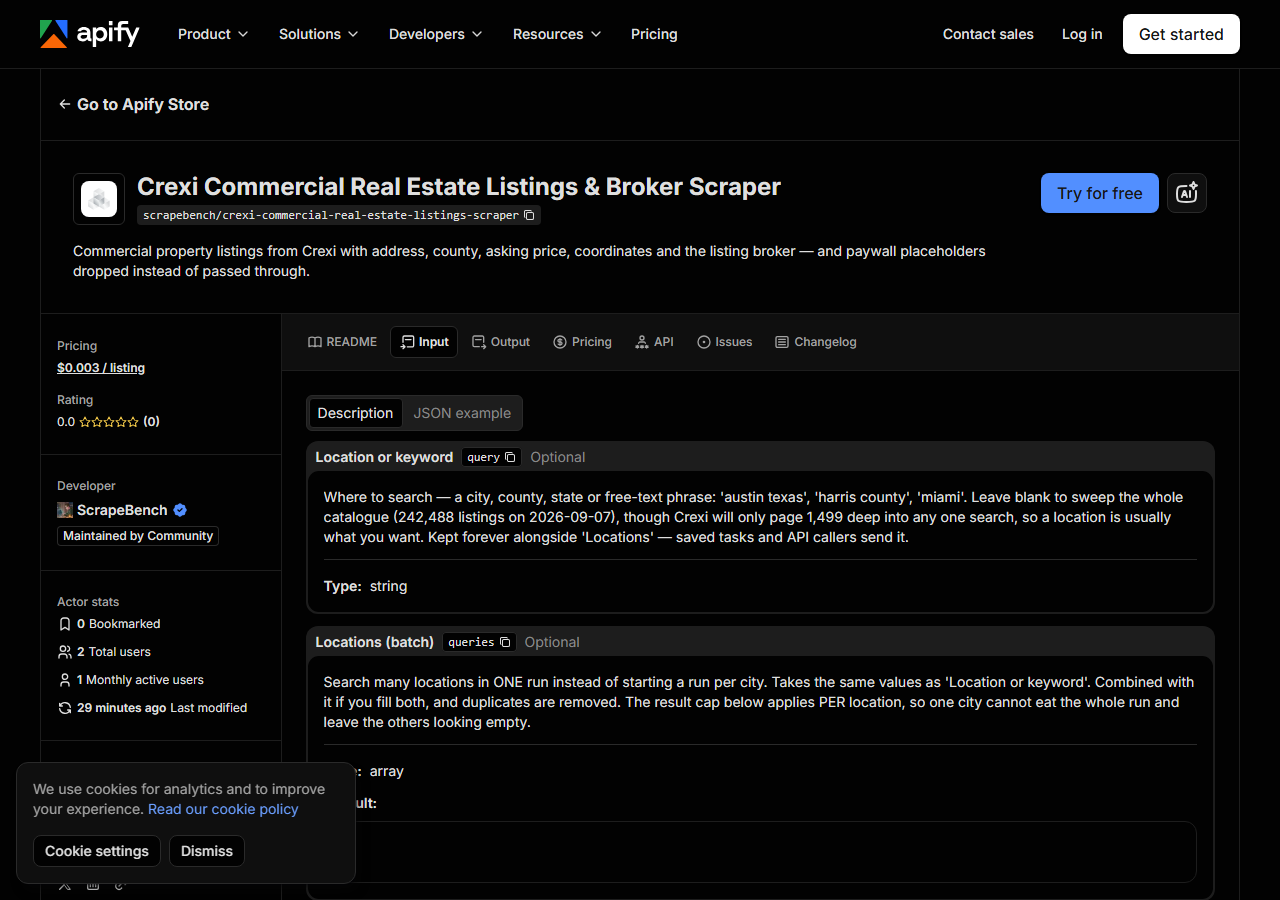
| Field | Type | Required | What it does |
|---|---|---|---|
query | string | no | Where to search — a city, county, state or free-text phrase: ‘austin texas’, ‘harris county’, ‘miami’. Leave blank to sweep the whole catalogue (242,488 listings on… |
queries | array | no | Search many locations in ONE run instead of starting a run per city. Takes the same values as ‘Location or keyword’. Combined with it if you fill both, and duplicates are… (default []) |
types | array | no | Crexi’s own property types, exactly as it spells them: Land, Retail, Office, Industrial, Multifamily, MixedUse, SpecialPurpose, Hospitality, SelfStorage, MobileHomePark,… (default []) |
minPrice | integer | no | Applied after fetching, because Crexi accepts askingPriceFrom and then ignores it — the total comes back unchanged either way. Setting any band drops listings with no published… |
maxPrice | integer | no | See ‘Minimum asking price’. Leave both empty to keep unpriced listings. |
includeDetails | boolean | no | Adds the marketing description and Crexi’s detail table (zoning, lot size, year built, cap rate, APN and so on) with one extra request per listing. Only the entries Crexi… |
includeBrokers | boolean | no | Adds the listing broker’s name, brokerage, public profile link and how many listings they hold, with one extra request per listing. Crexi publishes no broker email or phone… |
maxResults | integer | no | Cap on listings returned PER location, not per run — so a batch cannot silently return only the first rows overall and read as ‘these cities have nothing’. Crexi refuses to… (default 200) |
Three things to get right.
queries is where the run is shaped, and it takes free text. A city (“austin texas”), a county
(“harris county”) or a state all work. You can leave it empty to sweep the whole catalogue —
242,488 listings on 7 September 2026 — but you will not get far into it, for the reason in the next
paragraph, so a location is almost always what you want.
maxResults is per location, and it has a hard ceiling that is not ours. Crexi refuses any
request where offset plus count reaches 1500, so 1,499 is the deepest any single search can go.
That matters more than it sounds: on 7 September 2026 “austin texas” with no type filter matched
2,367 listings, which is already past the window. When a search matches more than can be paged, the
run adds a free row telling you the number it matched against the number it could reach — so you
know to split by property type or price band rather than assuming you have everything. The cap
being per location rather than per run is deliberate: a run-wide cap would let one busy city
consume the whole budget and leave the others reading as though they had no inventory.
types must use Crexi’s own spellings, which are not always the obvious ones — MixedUse and
SelfStorage are one word, and there is no “Warehouse” (that is Industrial). Crexi rejects a
value it does not recognise, so rather than let that fail the run, an unknown type returns a free
row listing the eleven valid ones.
minPrice and maxPrice are applied after fetching rather than by Crexi, because Crexi accepts
its own price parameters and then ignores them. One consequence worth knowing: setting any band
drops listings marketed without a published price, since “call for offers” cannot satisfy a band.
Leave both empty to keep them.
A working input:
{
  "queries": [
    "austin texas",
    "san antonio texas"
  ],
  "types": [
    "Retail",
    "Office"
  ],
  "maxResults": 200,
  "includeBrokers": true
}
Step 3 — Run it
Press Start. Rows are pushed to the dataset as they’re found, so the run log fills in as it works.
This is a fast actor. The input above — Retail and Office across Austin and San Antonio, capped at 200 per city — returned 400 listings in 1.7 seconds locally and about 7.6 seconds on Apify. Turning on detail or broker enrichment adds one request per listing, so a 400-row run with both on takes noticeably longer; that is the trade you are making for the marketing description and the broker.
The run log states, per location, how many listings it read against how many Crexi matched. Read those two numbers together: if they are far apart you hit the paging ceiling, not an empty market.
A genuinely empty result is almost always the filters, and the actor says which — a run that
matches nothing returns one free row naming the location and the price band it applied, plus
Crexi’s own match count before filtering. It only reports a real problem in two cases, and both are
explicit: blocked if Crexi would not answer, and source_changed if the response no longer
carries the result envelope. Neither of those is ever a silent zero, which matters here because a
commercial-listing scraper that quietly stops returning rows still finishes as a successful run.
Step 4 — Read the output
Each run returns a labelled table, not raw JSON:
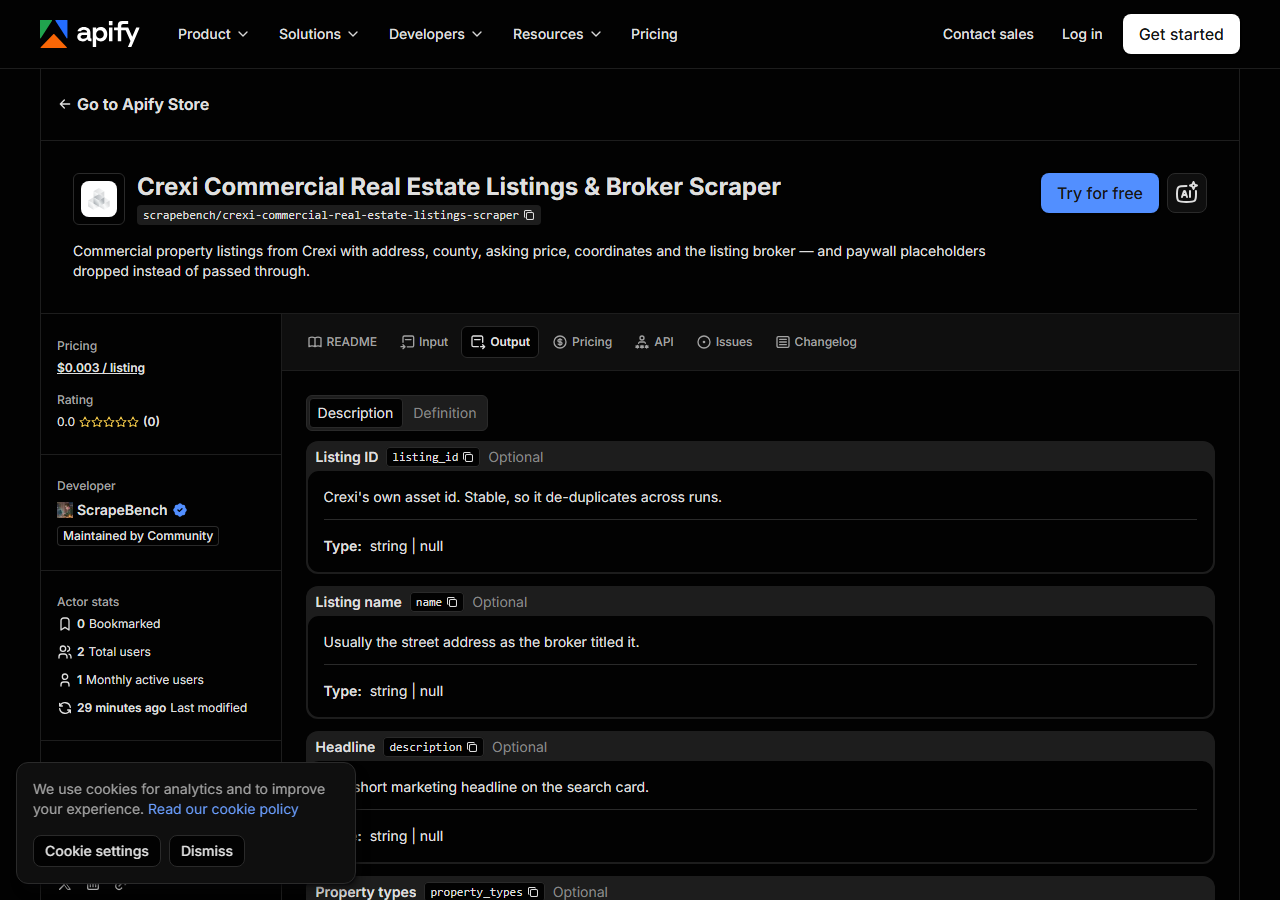
Every row looks like this — a real row from a real run:
{
  "source_url": "https://api.crexi.com/assets/2661656",
  "listing_id": "2661656",
  "name": "6229 Old Lockhart Road",
  "description": null,
  "property_types": [
    "Retail",
    "Industrial",
    "Land"
  ],
  "status": "On-Market",
  "asking_price": 650000.0,
  "square_footage": null,
  "price_per_sqft": null,
  "address": "6229 Old Lockhart Road",
  "full_address": "6229 Old Lockhart Road, Buda, Travis County, TX 78610",
  "city": "Buda",
  "county": "Travis County",
  "state": "TX",
  "state_name": "Texas",
  "zip": "78610",
  "latitude": 30.0733165,
  "longitude": -97.7213696,
  "brokerage_name": "John B. Sanford Real Estate",
  "broker_name": "J.D. Sanford",
  "broker_profile_url": "https://www.crexi.com/brokers/jdsanf",
  "broker_listing_count": 21,
  "in_opportunity_zone": false,
  "has_offering_memorandum": false,
  "has_flyer": true,
  "image_count": 4,
  "activated_on": "2026-08-13T18:35:24.429Z",
  "updated_on": "2026-08-19T14:40:14.293Z",
  "details": {
    "Asking Price": "$650,000",
    "Property Type": "Retail, Industrial, Land",
    "Zoning": "Residential",
    "Lot Size (acres)": "8.32",
    "Ground Lease": "No"
  },
  "market_url": "https://www.crexi.com/properties/2661656/texas-6229-old-lockhart-road"
}| Field | Example value | Meaning |
|---|---|---|
listing_id | 2661656 | Crexi’s own asset id — stable, so it de-duplicates across runs |
name / description | — | The listing title and the short marketing headline |
property_types | ["Retail", "Industrial", "Land"] | Crexi’s types for the listing; a property can carry several |
status | On-Market | On-Market, Under Contract, and so on |
asking_price | 650000.0 | USD. Null where the listing is marketed without a published price |
square_footage | — | Building size, where published |
price_per_sqft | — | Derived from asking price and square footage, only when both are real numbers |
address / full_address | — | Street address, and Crexi’s formatted street, city, county, state and ZIP |
Most people come for asking_price with county and the coordinates, because that combination is
what makes the rows mappable and comparable without any further work. county, latitude and
longitude are Crexi’s own values on its own listing record — not geocoded from the address here —
which matters, because a geocoded address can land on a street or city centroid and still look
perfectly plausible on a map.
Three things to expect in the data:
asking_price is genuinely null on some listings, and that is the listing rather than a gap in
the scrape — plenty of commercial inventory is marketed as “call for offers”. Setting a price band
drops those, because a band is a statement about price they cannot satisfy.
details is deliberately incomplete. Crexi puts a set of attributes behind its own paywall and
returns them as runs of asterisks rather than as empty values — "Year Built": "****",
"APN": "********", "Cap Rate": "*******". Over 12 retail listings sampled on 7 September 2026,
Year Built was masked on 9 of the 9 that carried it, APN on 6 of 6, and Cap Rate, Parking, Tenancy,
Units and Price per SqFt on every occurrence. This actor drops them, so a key is present only when
Crexi actually published a value. That is worth the loss: **** is a non-empty string, so it
passes an is-not-null filter, sorts as text, and silently ruins any count of how complete your data
is.
price_per_sqft is derived here, from asking price and square footage, and only when both are
real numbers — Crexi’s own version of that field is one of the ones it masks.
The broker fields are populated only with includeBrokers on, and they carry a name, a brokerage,
a public profile link and a listing count. They do not carry an email address or a phone number,
because Crexi publishes neither on this API at any tier.
Step 5 — Export it
Open the Dataset tab and export to CSV, JSON, or Excel — or pull the same rows from the API, which is what you want if this is going to run on a schedule.
What it costs
$0.003 per listing returned — $3 per 1,000. The default input, Retail and Office across Austin and San Antonio capped at 200 per city, returns 400 listings and costs $1.20.
You are charged per listing, not per location: ten cities holding 1,000 listings between them cost the same as one city with 1,000. Detail and broker enrichment add a request each per listing but no extra charge. Marker rows — the ones explaining a truncated sweep, an unusable property type or an outage — are free. Apify’s own platform usage is billed separately and is pennies for an actor this light.
Where the data comes from
This reads Crexi directly. The target is Crexi’s own search API (POST /assets/search) - the JSON endpoint its website’s front end calls. No key, no login, no anti-bot; a malformed body returns a JSON schema-validation error, the opposite of a bot wall. Every night a canary runs this actor against that live source and diffs the result against a frozen fixture — what “verified” means.
Reaching Crexi is the easy part — a malformed request comes back with a JSON schema-validation
message rather than a bot wall, which is about as friendly as a target gets. The annoyance is
everything after that. Paging stops dead at 1,499 results out of a 242,488-listing catalogue, so
any wide sweep has to be split by geography, type or price band and you have to know when you have
been truncated. Paywalled attributes arrive as asterisks rather than as nulls, so a naive parser
fills columns with text that looks like data. And two parameters the API accepts — isLease and
the askingPriceFrom/askingPriceTo band — are simply ignored: the match count comes back
identical whether you send them or not, which is why this actor filters price itself and does not
offer a lease-versus-sale switch at all.
See it used
Building a county-level commercial inventory map from Crexi takes the coordinates and county on every row and turns a multi-city sweep into something you can put on a map and filter by price band.
If you need residential comparables next to the commercial inventory, the Zillow & Redfin Property Data Scraper covers the house side — reach for it when the question is about a specific address rather than about what is for sale in a market.
Last updated 2026-09-07