How-to
How to run Copart Salvage Auction Lots Scraper & New-Lot Export (No Login)
Step-by-step: the exact input, what each field does, and the rows that come back from Copart's open-lot search.
You want a list of Copart lots you can sort: every Buy It Now Toyota in Texas, say, with the damage, the title and Copart’s repair estimate next to its estimated retail value. Copart’s own search shows that, 100 lots to a page in a browser, and if you are looking at a dozen cars before Thursday’s sale it is the right tool. On 7 November 2026 that one Toyota search matched 206 open lots, and the broader “anything with Buy It Now in Texas” matched 2,679. At that size, copying rows into a spreadsheet by hand is an afternoon, and you would have to do it again tomorrow.
What you’ll need
Nothing but an Apify account. The actor talks to Copart directly.
No Copart membership, no API key and no proxy. The actor reads the same search JSON that copart.com’s own search page calls, which answered every request from a plain HTTP client in the runs behind this guide. What a membership unlocks (sold prices, the full VIN, the photo gallery) is not in that public search, so it is not in these rows either.
Step 1: Open the actor
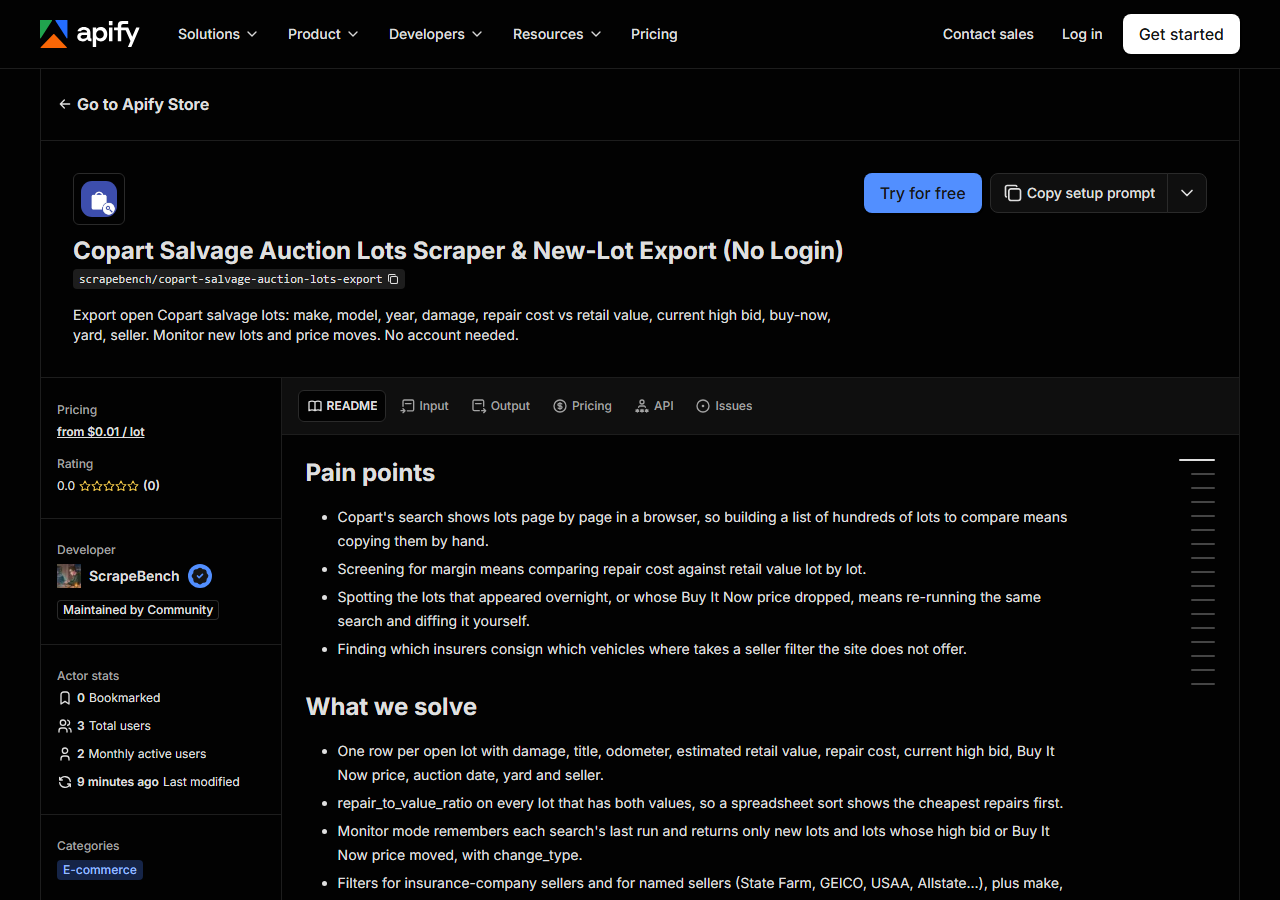
Open Copart Salvage Auction Lots Scraper & New-Lot Export (No Login) on the Apify Store and press Try for free. The actor’s own page on this site lists its live health and pricing.
Step 2: Fill in the input
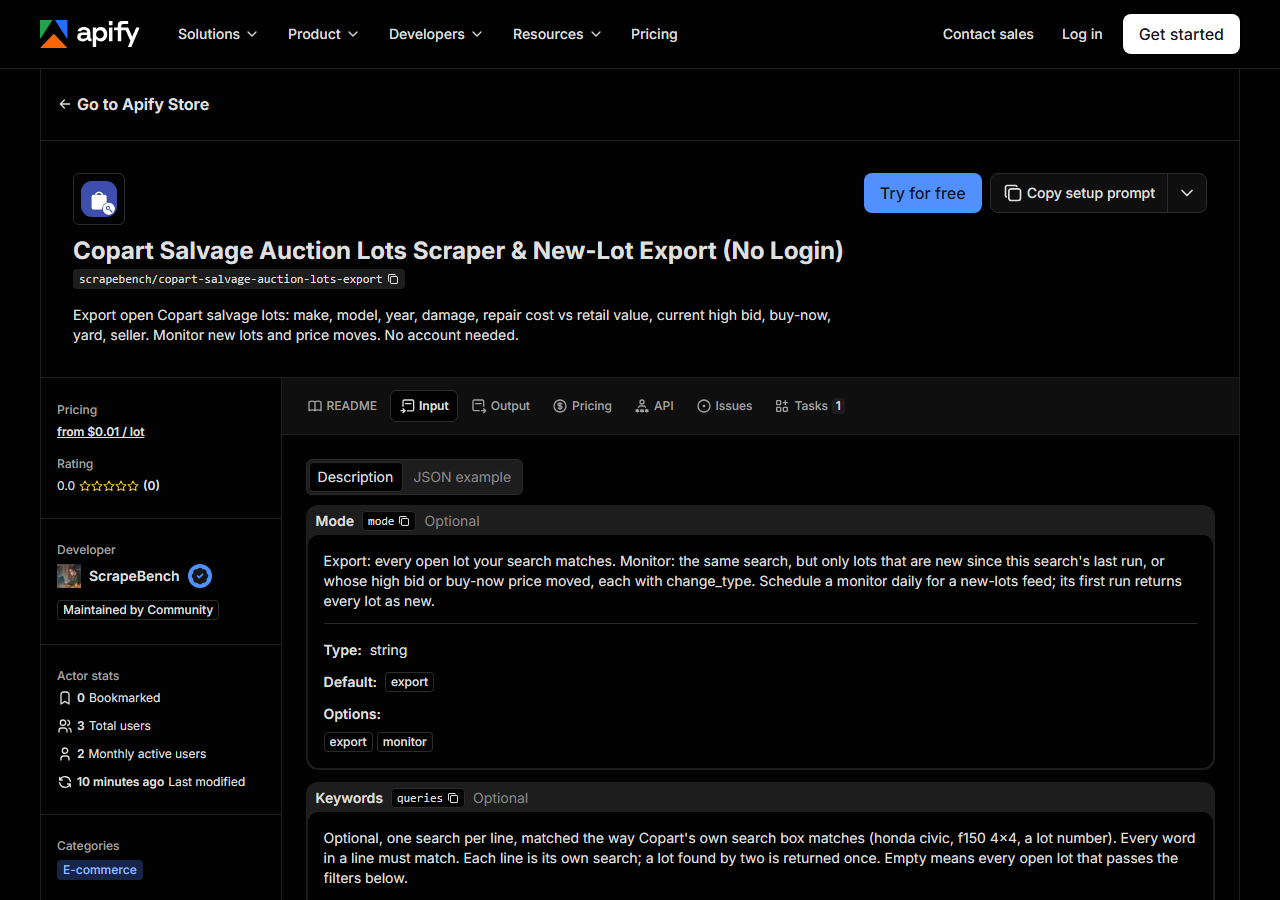
| Field | Type | Required | What it does |
|---|---|---|---|
mode | string | no | Export: every open lot your search matches. Monitor: the same search, but only lots that are new since this search’s last run, or whose high bid or buy-now price moved, each… (default export) |
queries | array | no | Optional, one search per line, matched the way Copart’s own search box matches (honda civic, f150 4x4, a lot number). Every word in a line must match. Each line is its own… (default []) |
query | string | no | One search, for saved tasks and API calls that send a single value. Use the list above for several. |
makes | array | no | Copart make names, one per line (Toyota, Honda, Ford). Any of them matches. (default []) |
models | array | no | Copart model or model-group names, one per line (Camry, F150, Civic). Any of them matches. Best with a make. (default []) |
yearFrom | integer | no | Oldest model year to include. |
yearTo | integer | no | Newest model year to include. |
damageTypes | array | no | One per line, any of them matches: All Over, Biohazard/Chemical, Burn, Burn - Engine, Burn - Interior, Damage History, Frame Damage, Front End, Hail, Mechanical, Minor… (default []) |
titleTypes | array | no | One per line, any of them matches: Clean, Salvage, Non-Repairable (Copart’s title groups). (default []) |
vehicleTypes | array | no | One per line, any of them matches: Automobiles, SUVs, Pickup Trucks, Motorcycle, ATVs, Boats, Bus, Construction Equipment, Dirt Bikes, Heavy Duty Trucks, Industrial Equipment,… (default []) |
states | array | no | Two-letter codes of the yard’s state or province, one per line (CA, TX, FL, ON). Any of them matches. (default []) |
yards | array | no | Copart yard names exactly as Copart writes them, one per line (CA - SUN VALLEY, TX - HOUSTON). Any of them matches. (default []) |
saleDateFrom | string | no | YYYY-MM-DD. Only lots whose auction is on or after this day (UTC). Lots not yet scheduled have no sale date and drop out when this is set. |
saleDateTo | string | no | YYYY-MM-DD. Only lots whose auction is on or before this day (UTC). |
maxOdometer | integer | no | Only lots with an odometer reading up to this many miles. |
buyNowOnly | boolean | no | Only lots with a Buy It Now price. |
runAndDriveOnly | boolean | no | Only lots Copart lists as Run and Drive. |
insuranceSellersOnly | boolean | no | Only lots consigned by insurance companies (Copart’s own seller-type filter). Every row also carries insurance_seller either way. |
sellers | array | no | Seller company names, one per line (State Farm, GEICO, USAA, Allstate, Farmers). A name matches sellers that start with it. Any of them matches. Copart filters on the seller… (default []) |
maxResults | integer | no | Cap for EACH keyword line (or for the whole filter set when no keyword is given), in Copart’s order: soonest sale first. In Monitor mode it is how many lots are watched; only… (default 1000) |
Two fields decide most of what you get back.
maxResults is the one that costs money, so set it on purpose. Copart listed 449,171 open lots on
7 November 2026, and with no filters at all the actor would page through them 100 at a time. The
cap applies to each keyword line separately (or to the filter set when there is no keyword), and the
lots come back in Copart’s own order, soonest sale first. When a search matches more than the cap,
the run log says so: the Toyota input below logged “Copart lists 206 open lots; returned 100”.
The filters combine with AND across fields and OR within one field. makes: ["Toyota", "Honda"]
means either make (90,698 lots in the recon count), and adding states: ["TX"] narrows that to the
Texas yards. Inside yards, the name has to be Copart’s spelling exactly, TX - HOUSTON with the
spaces around the hyphen. A filter value Copart does not recognise matches nothing, so the run
returns a free no_match row naming the search rather than a dataset that looks merely quiet.
A working input:
{
  "makes": [
    "Toyota"
  ],
  "states": [
    "TX"
  ],
  "buyNowOnly": true,
  "maxResults": 100
}
Step 3: Run it
Press Start. Rows are pushed to the dataset as they’re found, so the run log fills in as it works.
Each request returns 100 lots, so run time grows with maxResults in steps of one page. Run locally
through a single proxy on 7 November 2026, the input above returned 100 lots in 2.8 seconds, 1,000
lots took 12.4 seconds and the full 2,679-lot Texas Buy It Now set took 28.6 seconds. A run on
Apify adds its own start-up time on top of that.
An empty result almost always means the filters were narrower than you meant, and the actor says so
with a free no_match row. A real refusal looks different: if Copart’s firewall answers a
challenge page instead of results, the lots read so far are delivered with a free blocked row, so
“Copart did not answer” can never be mistaken for “no lots match”.
Step 4: Read the output
Each run returns a labelled table, not raw JSON:
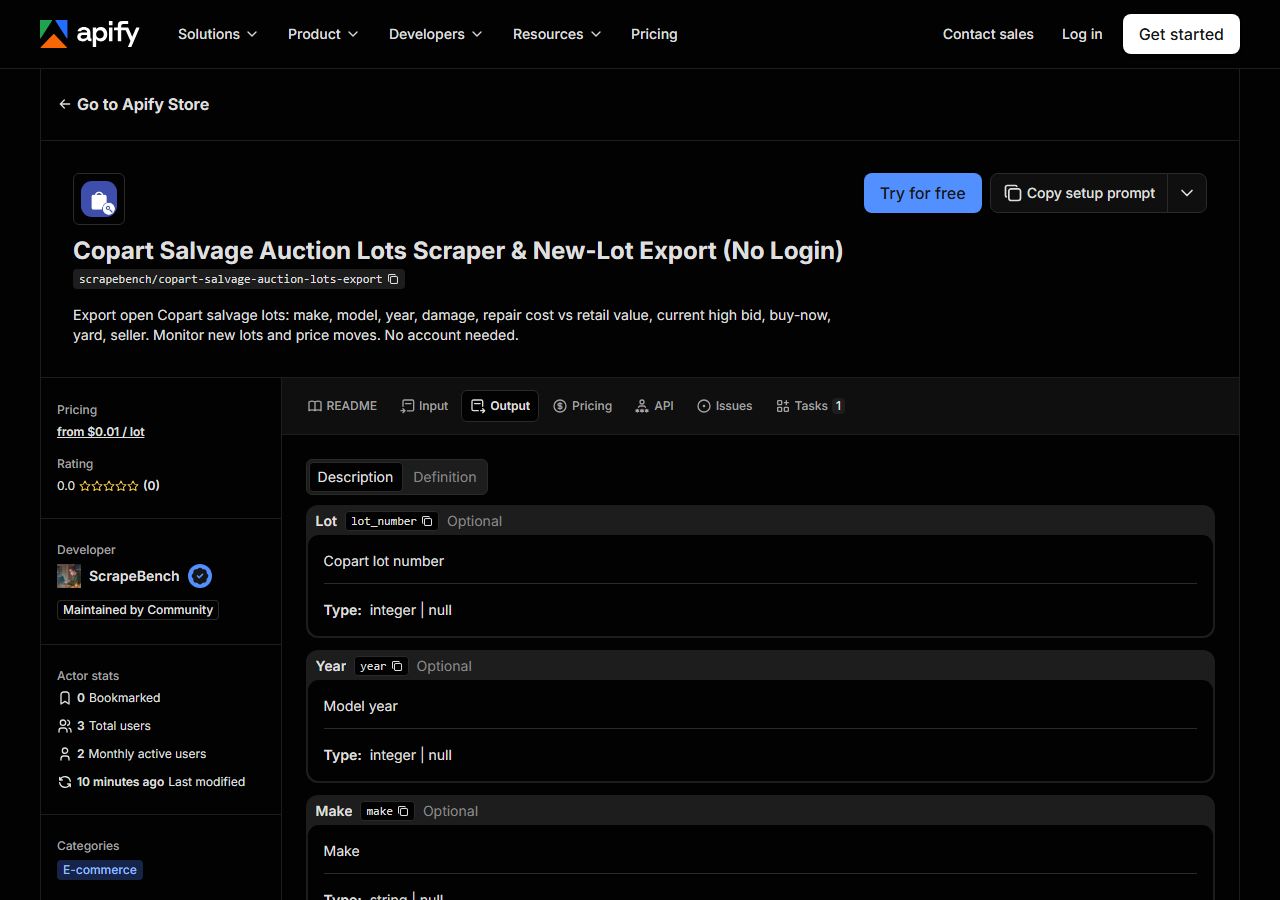
Every row looks like this, a real row from a real run:
{
  "lot_number": 77590185,
  "year": 2020,
  "make": "CHEVROLET",
  "model": "MALIBU",
  "trim": "LT",
  "vin_masked": "1G1ZD5ST1LF******",
  "odometer": 107800.0,
  "odometer_status": "ACTUAL",
  "primary_damage": "FRONT END",
  "secondary_damage": "SIDE",
  "title_type": "PERMIT TO SELL",
  "title_group": "SALVAGE TITLE",
  "title_state": "LA",
  "condition": "ENGINE START PROGRAM",
  "estimated_retail_value": 11600.0,
  "repair_cost": 14900.17,
  "repair_to_value_ratio": 1.284,
  "high_bid": 0.0,
  "buy_now_price": null,
  "sale_status": "Pure Sale",
  "auction_date": "2026-07-01T17:00:00Z",
  "yard_name": "LA - NEW ORLEANS",
  "yard_city": "NEW ORLEANS",
  "yard_state": "LA",
  "yard_zip": "70129 2348",
  "yard_country": "USA",
  "yard_latitude": 30.03285,
  "yard_longitude": -89.90785,
  "seller_name": null,
  "insurance_seller": false,
  "vehicle_type": "AUTOMOBILE",
  "color": "WHITE",
  "engine": "1.5L 4",
  "cylinders": "4",
  "drive": "FRONT WHEEL DRIVE",
  "fuel": "GAS",
  "has_keys": true,
  "features": [
    "No License Required"
  ],
  "thumbnail_url": "https://cs.copart.com/v1/AUTH_svc.pdoc00001/lpp/0825/75c3b6b8fcfc436a9cdb46a0d14a2392_thb.jpg",
  "lot_url": "https://www.copart.com/lot/77590185/salvage-2020-chevrolet-malibu-lt-la-new-orleans",
  "source_url": "https://www.copart.com/lot/77590185/salvage-2020-chevrolet-malibu-lt-la-new-orleans"
}| Field | Example value | Meaning |
|---|---|---|
lot_number | 77590185 | Copart lot number |
year | 2020 | Model year |
make | CHEVROLET | Make |
model | MALIBU | Model |
trim | LT | Trim or series |
vin_masked | 1G1ZD5ST1LF****** | VIN as Copart shows it publicly: the last six characters are masked |
odometer | 107800.0 | Odometer reading |
odometer_status | ACTUAL | ACTUAL, NOT ACTUAL, EXEMPT or EXCEEDS MECHANICAL LIMITS |
Most buyers come for repair_to_value_ratio: Copart’s repair estimate divided by its estimated
retail value, worked out on every lot that lists both. The Malibu above reads 1.284, meaning the
estimate is 28% more than the car’s retail value. Sort ascending and the cheapest repairs relative to
value come first.
Watch the fill rates before you rely on it. Across the 2,679 Texas Buy It Now lots on 7 November
2026, estimated_retail_value was present on 1,519 and repair_cost on only 468, so the ratio
exists for 465 of them. A missing repair cost is Copart not publishing one, not a parse gap.
high_bid is the current high bid at the moment of the run (0 means no bids yet). It is not a sale
price, and Copart does not publish sale prices on the public search at all. The VIN arrives exactly
as Copart shows it, with the last six characters masked, so key your sheet on lot_number.
seller_name is filled only where Copart names the seller (124 of the 2,679 Texas lots), while
insurance_seller is on every row.
Step 5: Export it
Open the Dataset tab and export to CSV, JSON, or Excel, or pull the same rows from the API, which is what you want if this is going to run on a schedule.
What it costs
Export mode costs $0.01 per lot delivered, so $10 per 1,000. The input above, capped at 100 Toyotas,
is $1.00, and the whole 2,679-lot Texas Buy It Now set would be $26.79. Monitor mode charges the same
$0.01, but only for lots that are new or whose high bid or Buy It Now price moved since the last run;
unchanged lots are not delivered and not charged. Notice rows (no_match, blocked, truncated)
are free. Compute and proxy are included in the price.
Because the charge is per lot, maxResults is your spending cap. Start at 100 while you tune the
filters, then raise it.
Where the data comes from
This reads Copart directly. The target is Copart’s own search API (POST /public/lots/search-results), the JSON endpoint its website’s front end calls, 100 lots per page. No key, no login, no browser; Imperva walls the HTML pages and per-lot detail endpoints, not this search path. Every night a canary runs this actor against that live source and diffs the result against a frozen fixture (what “verified” means).
The search answers, but it is particular about how a filter is written. Two values under one filter
key are ORed for makes and ANDed for some other keys, so two states sent the naive way match 0 lots;
a yard name with ” - ” inside parentheses matches nothing; and the seller filter only matches
“State Farm” when the space is written as a single-character wildcard (70,856 lots that way, 0 with
a literal space). The actor writes each filter the way that was proved to move the count off the
449,171 baseline. The lot_url link itself opens copart.com’s HTML, which Imperva may ask a browser
to clear first.
See it used
Copart Buy It Now lots in Texas with repair cost vs retail value screens the 2,679 Texas Buy It Now lots for margin using the repair ratio, and A daily new-lots feed from Copart with monitor mode turns one saved search into a list of what arrived or changed since yesterday.
If what you watch for changes is an online store rather than an auction yard, the Shopify Price & Stock Change Tracker applies the same “only what changed since the last run” idea to a Shopify catalogue’s prices and stock.
Last updated 2026-11-06