How-to
How to run Contractor License Verify - AI Agent Tool (17 States)
Step-by-step: the exact input, what each field does, and the rows that come back from AL LBGC, AR ACLB, CSLB, CT DCP, FL DBPR, MA CSL, MI LARA, MN DLI, NCLBGC, NM CID, NV NSCB, OR CCB, SC LLR, TN DOCI, TX TDLR, VA DPOR, WA L&I.
You are building something — an agent, a vendor-onboarding flow, a CRM intake step — that needs to answer one question: is this contractor actually licensed in this state? Today your options are to send a human to a state portal, or to skip the check. There is no public API: California’s CSLB is an ASP.NET WebForms portal, South Carolina’s board puts a reCAPTCHA on the search itself, New Mexico an image CAPTCHA, Virginia publishes a bulk roster with no search at all. Seventeen states, seventeen different shapes, none of them callable by a model. This actor is one call in, one flat verdict out, with the board that answered cited on the row.
What you’ll need
Nothing but an Apify account. The actor talks to AL LBGC, AR ACLB, CSLB, CT DCP, FL DBPR, MA CSL, MI LARA, MN DLI, NCLBGC, NM CID, NV NSCB, OR CCB, SC LLR, TN DOCI, TX TDLR, VA DPOR, WA L&I directly.
Nothing else. No API key, no proxy configuration, no CAPTCHA-solving account. The two boards that CAPTCHA their search (South Carolina and New Mexico) are solved inside the per-state lookup actors, and that cost is already in the price — it is why those two states cost more per check.
Step 1 — Open the actor
Open Contractor License Verify - AI Agent Tool (17 States) on the Apify Store and press Try for free. The actor’s own page on this site lists its live health and pricing.
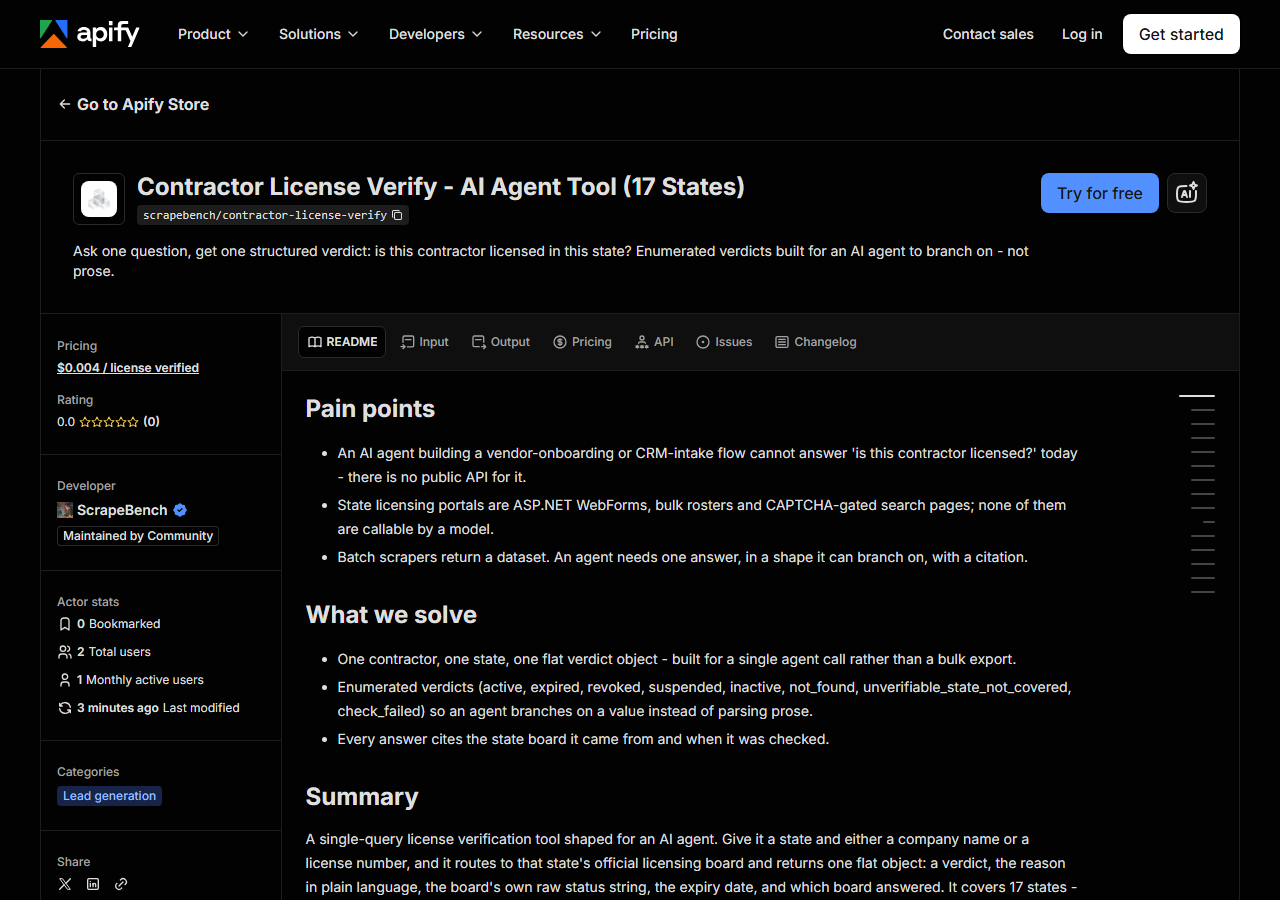
Step 2 — Fill in the input
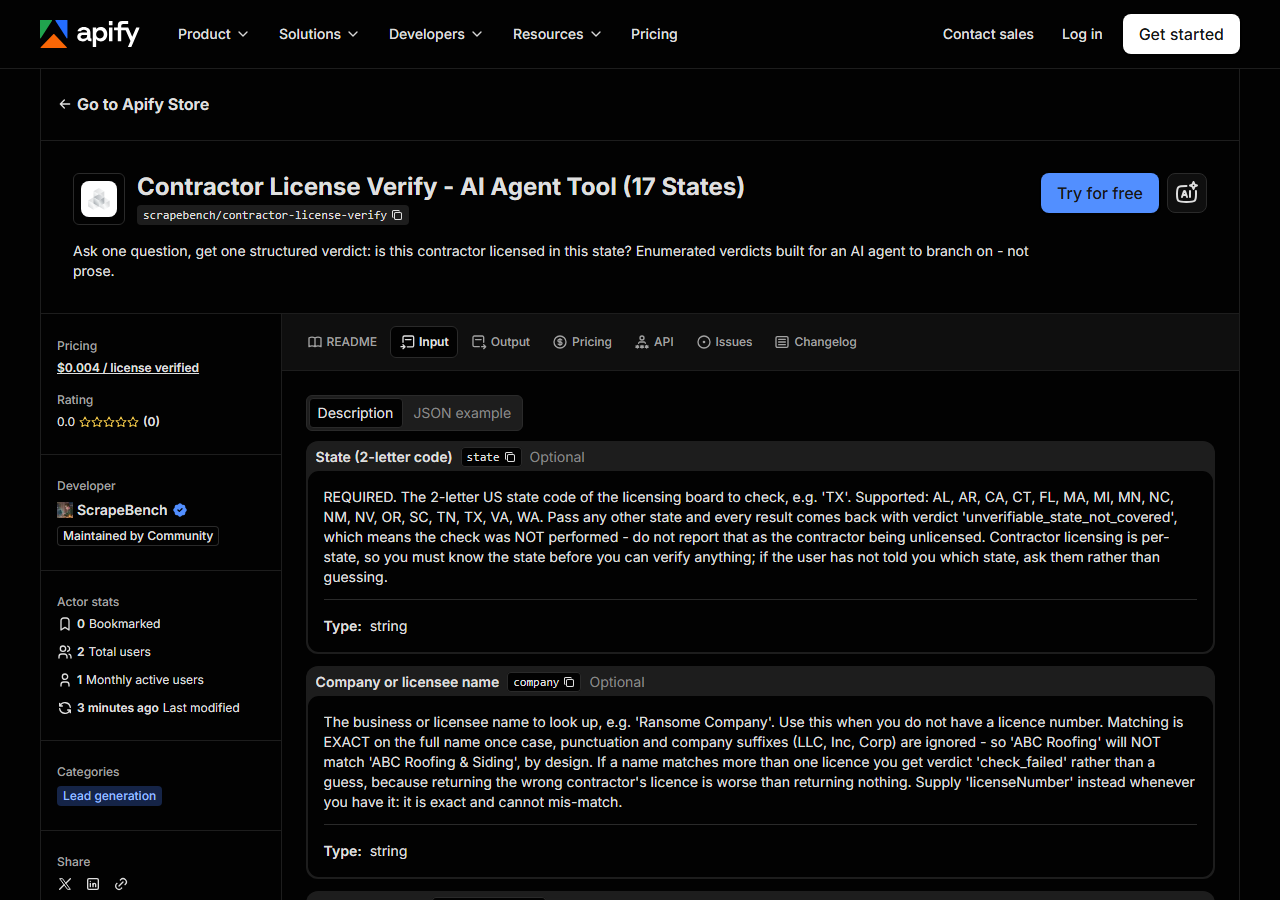
| Field | Type | Required | What it does |
|---|---|---|---|
state | string | no | REQUIRED. The 2-letter US state code of the licensing board to check, e.g. ‘TX’. Supported: AL, AR, CA, CT, FL, MA, MI, MN, NC, NM, NV, OR, SC, TN, TX, VA, WA. Pass any other… |
company | string | no | The business or licensee name to look up, e.g. ‘Ransome Company’. Use this when you do not have a licence number. Matching is EXACT on the full name once case, punctuation and… |
licenseNumber | string | no | The contractor’s licence number, e.g. ‘22726’. This is the most reliable input - prefer it over the company name whenever the user has given you one. Punctuation and leading… |
companies | array | no | Batch form of ‘company’ - check many names in ONE run instead of starting a run per name. All entries must be in the same state. You are billed per verdict returned, not per… (default []) |
licenseNumbers | array | no | Batch form of ‘licenseNumber’ - check many licence numbers in ONE run. All entries must be in the same state. Billing is per verdict returned, so batching costs the same as… (default []) |
state is mandatory and it is not a filter — it is the router. Contractor licensing is
per-state, so without it there is nothing to check. If your user has not said which state, ask
them rather than guessing; guessing produces a confident answer about the wrong registry.
Send licenseNumber whenever you have one. It is exact. company is matched on the whole
normalized business name (case, punctuation and LLC/Inc suffixes ignored), so “ABC Roofing” will
not match “ABC Roofing & Siding” — deliberately. If a name matches two licences you get
check_failed rather than a coin flip, because handing back the wrong contractor’s licence is
worse than handing back nothing.
One exception worth knowing: Virginia cannot be searched by licence number at all. DPOR
publishes a name-filtered roster with no number axis, so a number-only request there returns
check_failed telling you to supply the name.
A working input:
{
  "state": "CA",
  "licenseNumber": "22726"
}
Step 3 — Run it
Press Start. Rows are pushed to the dataset as they’re found, so the run log fills in as it works.
One request in, exactly one row out — always. This actor cannot return zero rows for a request you made: every outcome, including “we could not check”, is a row with a verdict.
Measured on 2026-08-06, one licence-number lookup per state: median 13.3 seconds, fastest 10.6s (Florida, California, Washington, Michigan, North Carolina), slowest 30.8s for South Carolina, whose board CAPTCHAs the search. New Mexico is 19.6s for the same reason. If you are calling this from an agent loop, set your timeout above 35 seconds and expect ~13s typical.
Step 4 — Read the output
Each run returns a labelled table, not raw JSON:
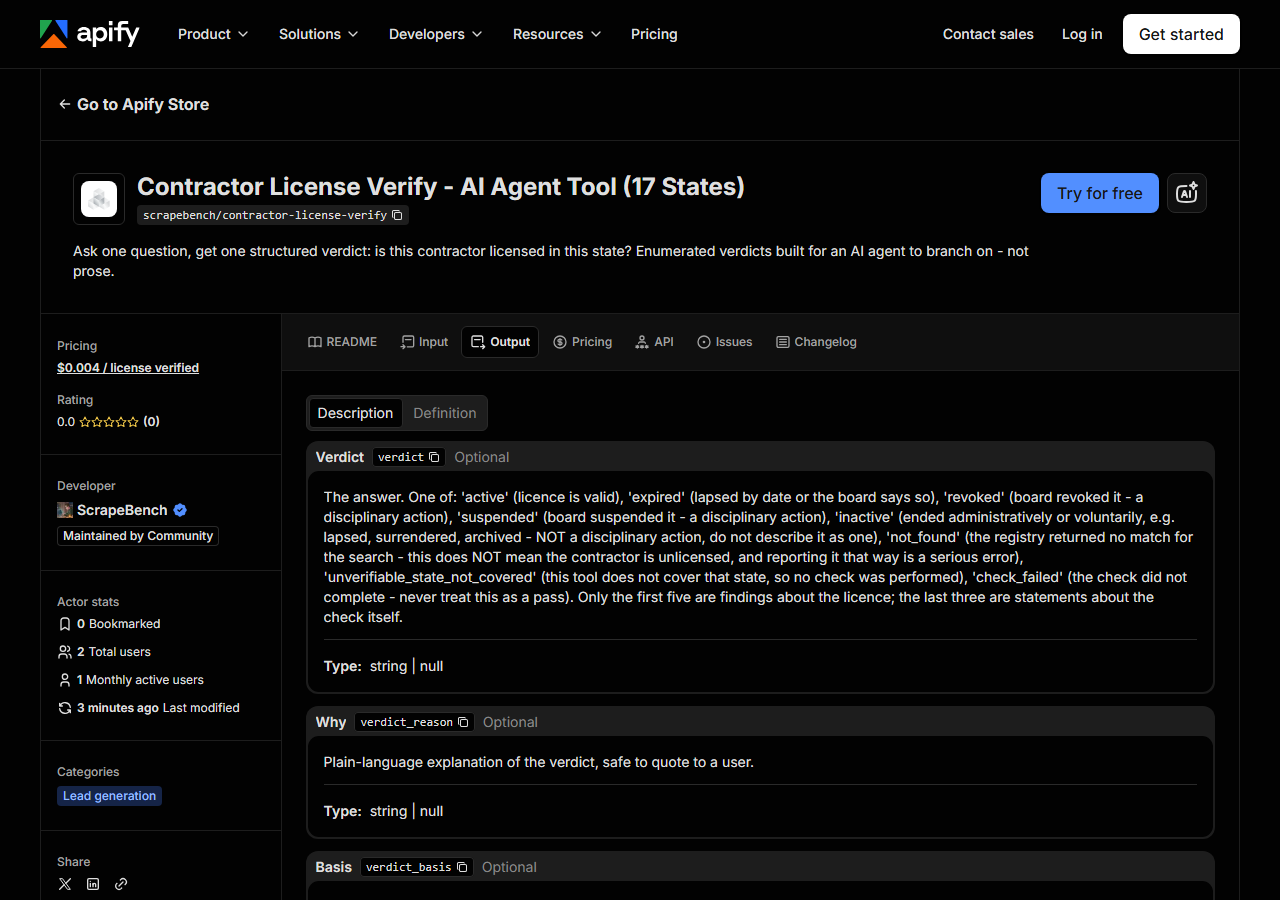
Every row looks like this — a real row from a real run:
{
  "verdict": "active",
  "verdict_reason": "status 'This license is current and active.', expires 2027-10-31",
  "verdict_basis": "status+expiry_date",
  "requested_company": null,
  "requested_license_number": "22726",
  "requested_state": "CA",
  "entity_name": "RANSOME COMPANY",
  "license_number": "22726",
  "license_type": null,
  "status_raw": "This license is current and active.",
  "expiry_date": "10/31/2027",
  "days_to_expiry": 451,
  "source_portal": "CSLB",
  "checked_at": "2026-08-06T19:20:11+00:00",
  "source_url": "https://www.cslb.ca.gov/OnlineServices/CheckLicenseII/LicenseDetail.aspx?LicNum=22726"
}| Field | Example value | Meaning |
|---|---|---|
verdict | active | active |
verdict_reason | status 'This license is current and active.', expires 2027-10-31 | Plain-language explanation, safe to quote to an end user |
verdict_basis | status+expiry_date | Which evidence the verdict rests on: status, expiry_date, status+expiry_date, or none |
requested_company | — | The company name that was searched, echoed back |
requested_license_number | 22726 | The license number that was searched, echoed back |
requested_state | CA | The state that was searched |
entity_name | RANSOME COMPANY | The licensed business or person as the board publishes it |
license_number | 22726 | License number as published by the board |
verdict is the field, and the discipline is in what it refuses to say.
not_found does not mean unlicensed. It means the registry returned no match for what you
searched. A typo, a DBA that differs from the licensed entity, a licence held under a parent
company — all produce not_found. If your agent turns that into “this contractor is unlicensed”
in front of an end user, it has made a false and damaging claim about a real business. Branch it
to “could not verify, check manually”.
inactive is not revoked. The boards publish “Lapsed”, “Voluntary Surrender”, “Archived”,
“Voluntary Termination” — all real strings, none of them a disciplinary action. Those map to
inactive. revoked and suspended are reserved for what the board actually calls a revocation
or suspension. Do not paraphrase one as the other.
check_failed is never a pass. Board down, ambiguous name, a record missing a field that
board normally publishes — all fail closed.
verdict_basis tells you what the answer rests on, because the boards differ: Alabama, Texas
and Virginia publish no status field, so those verdicts stand on the expiry date alone; North
Carolina and South Carolina publish no expiration date, so those stand on status alone. Everywhere
else you get status+expiry_date. status_raw always carries the board’s own wording if you want
to quote it verbatim.
Step 5 — Export it
Open the Dataset tab and export to CSV, JSON, or Excel — or pull the same rows from the API, which is what you want if this is going to run on a schedule.
What it costs
$0.004 per verdict resolved on a board. Verdicts of not_found,
unverifiable_state_not_covered and check_failed are free — they describe the check, not the
contractor, and you should not pay for an answer we could not get.
There is a second line: this tool runs the per-state lookup actors on your behalf and those bill their own per-match fee to your account. Budget roughly $0.008 per verdict in the fifteen open-data states, and about $0.034 in New Mexico and South Carolina, where every check costs a CAPTCHA solve. A thousand verifications spread like the measured mix is a few dollars.
Where the data comes from
This reads AL LBGC, AR ACLB, CSLB, CT DCP, FL DBPR, MA CSL, MI LARA, MN DLI, NCLBGC, NM CID, NV NSCB, OR CCB, SC LLR, TN DOCI, TX TDLR, VA DPOR, WA L&I directly. The target is Apify actor-to-actor routing over 17 state-board actors (ASP.NET WebForms, Socrata open data, PSI portal, bulk rosters). Every night a canary runs this actor against that live source and diffs the result against a frozen fixture — what “verified” means.
No two of these boards agree on anything. Some are open-data endpoints answering in under a second; CSLB is a WebForms portal behind a WAF that will hand you an ordinary-looking 200 that is really a redirect; South Carolina and New Mexico gate the search itself behind a CAPTCHA. They disagree on date formats, on whether a status field exists at all, on whether an expiry date exists, and on what their own status words mean.
That last one is the real work. On 2026-08-06 Florida’s DBPR went into scheduled maintenance and
served a perfectly normal page saying so — which parsed to zero results and would have reported
every Florida contractor as not_found. That is now caught and returned as check_failed. The
value here is not fetching pages; it is refusing to turn a broken check into a confident wrong
answer.
See it used
- Give an AI agent the ability to verify a contractor licence — wiring this into a tool-calling loop, and the three verdicts your prompt must handle before you ship it.
Watching a whole roster rather than answering one question? Use Contractor License Expiration Monitor instead — same boards, but it re-checks a watchlist on a schedule and alerts you on changes.
Last updated 2026-08-06