How-to
How to run Contractor License Expiration Monitor & Alerts (Notion)
Step-by-step: the exact input, what each field does, and the rows that come back from the source portal.
You are responsible for a list of contractors — a book of insured clients, an approved-sub list, a vendor roster — and you checked every licence on it once, properly, at onboarding. Nobody has checked since. Licences renew on their own schedule, and the way you normally find out that one lapsed is that a claim gets denied or an inspector stops a job. Re-checking by hand means opening eight different state portals, typing one name at a time, and reading eight differently-shaped result pages; for a hundred contractors that is an afternoon, every time, forever. This actor takes the list once, re-checks every name against the official state board on every run, and writes what changed into a Notion page you already read.
What you’ll need
An Apify account, and — if you want the results delivered rather than just stored — a Notion connector.
A connector is a one-time authorization you do in your own Apify account: Settings → API &
Integrations → MCP connectors → Add → Notion, then Notion’s own “Allow access” screen where you
pick which page it may write to. Apify manages that OAuth, so there is no app to register and
nothing to pay for. From then on the actor’s input form shows your connector in a dropdown. The
actor itself only ever receives an opaque id like conn_abc123; Apify’s proxy injects your
credentials server-side, and the proxy will only let this actor call the page search, create and
update tools it declared. It cannot read your Notion token, and it cannot call anything else.
Slack works too, but Slack — not Apify, and not us — requires you to register your own Slack OAuth app first. That is roughly ten minutes of setup, which is why Notion is the recommended target.
You can also leave the connector empty. The actor then runs dataset-only, which is a perfectly good way to try it before authorizing anything.
Step 1 — Open the actor
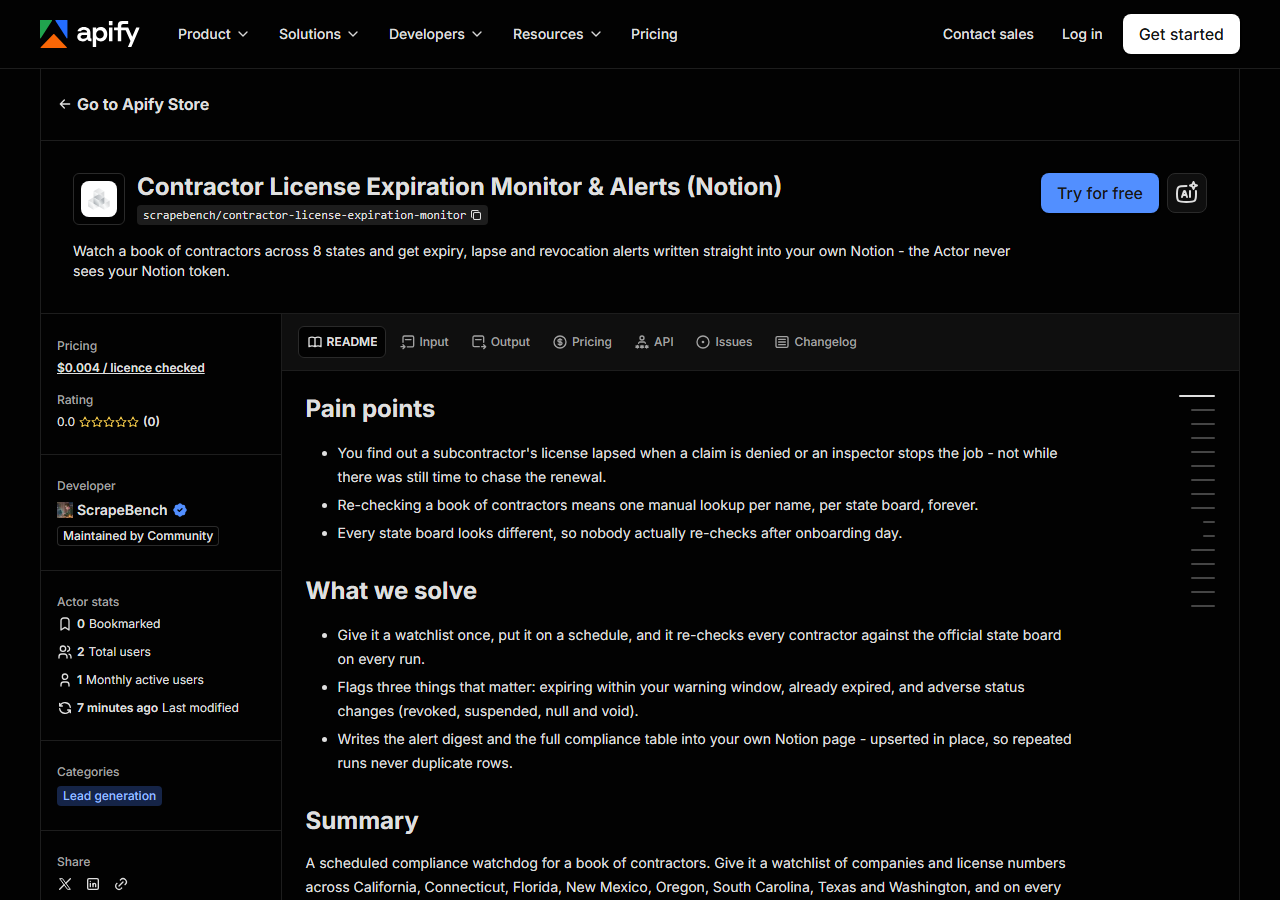
Open Contractor License Expiration Monitor & Alerts (Notion) on the Apify Store and press Try for free. The actor’s own page on this site lists its live health and pricing.
Step 2 — Fill in the input
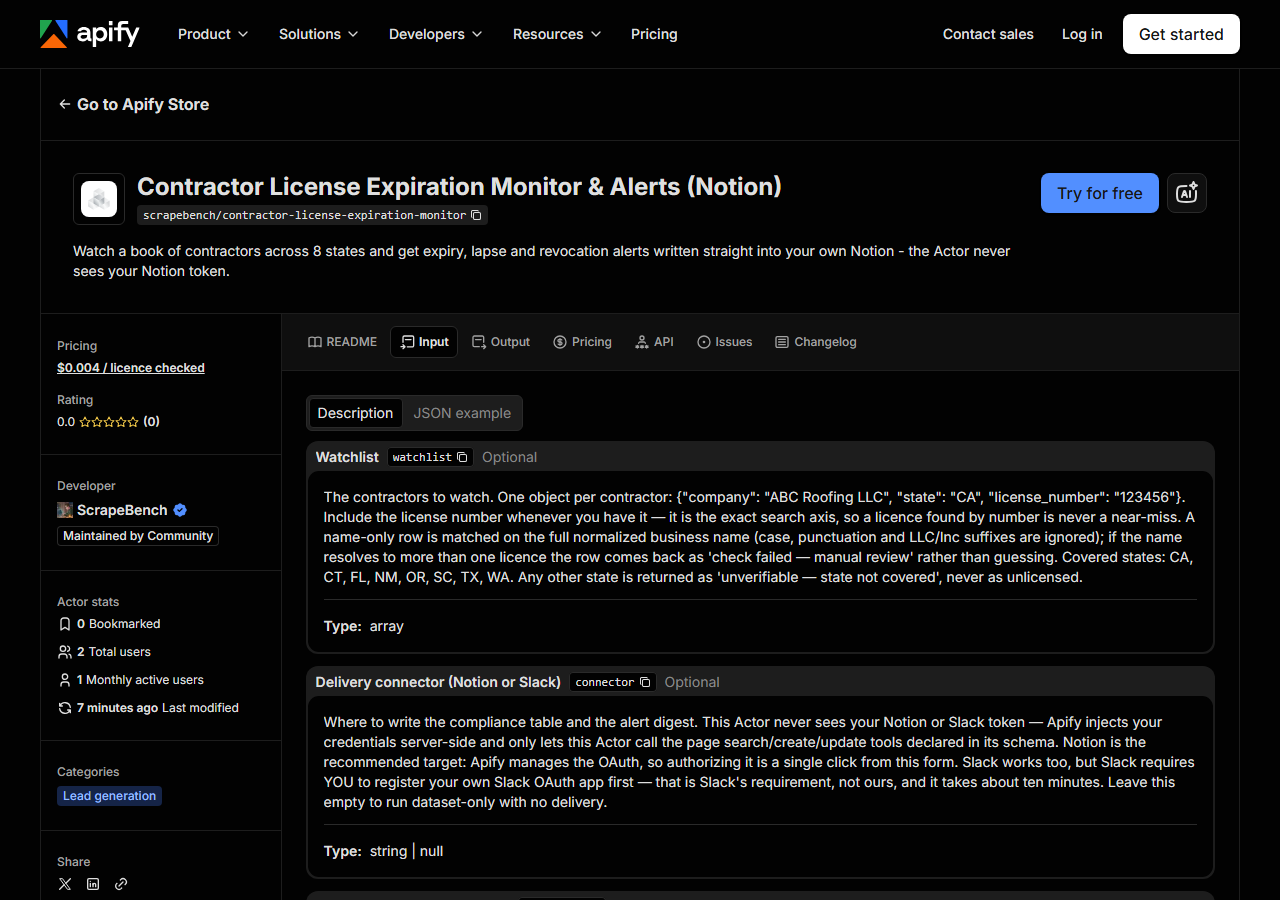
| Field | Type | Required | What it does |
|---|---|---|---|
watchlist | array | no | The contractors to watch. One object per contractor: {“company”: “ABC Roofing LLC”, “state”: “CA”, “license_number”: “123456”}. Include the license number whenever you have it… |
connector | string | no | Where to write the compliance table and the alert digest. This Actor never sees your Notion or Slack token — Apify injects your credentials server-side and only lets this Actor… |
pageTitle | string | no | The Actor upserts ONE page with this title: it searches for the page, updates it in place when it exists, and creates it otherwise — so repeated runs never duplicate rows.… (default Contractor License Compliance Monitor) |
warnDays | integer | no | A licence expiring within this many days is reported as EXPIRING. Renewal windows are typically 30-60 days, so 30 gives you time to chase a renewal before the licence actually… (default 30) |
alertOn | array | no | Which tiers go in the alert digest. Valid values: ‘expiring’, ‘expired’, ‘status_change’. Leave empty for all three. Note that ‘check_failed’ and… (default ['expiring', 'expired', 'status_change']) |
Two fields decide what you actually get back.
Put license numbers in the watchlist if you have them. A row with a license number is matched
on that number exactly, which cannot go wrong. A row with only a company name is matched on the
whole normalized business name — case, punctuation and the LLC/Inc suffix are ignored, but
nothing else is. “ABC Roofing” will not match “ABC Roofing & Siding”, on purpose: a monitor that
quietly reports on the wrong company is worse than one that tells you it could not find yours. If a
name matches two licences you get check_failed — manual review rather than a guess.
warnDays is your renewal lead time, not a filter. At 30 you hear about a licence a month
before it lapses. Set it to match how long chasing a renewal actually takes you; 60 is reasonable
if you have to get a person on the phone.
A working input:
{
  "watchlist": [
    {
      "company": "RANSOME COMPANY",
      "state": "CA",
      "license_number": "22726"
    },
    {
      "company": "ARETE CONSTRUCTION LLC",
      "state": "CT",
      "license_number": "631057"
    }
  ],
  "warnDays": 30
}
Step 3 — Run it
Press Start. The actor groups your watchlist by state and queries all eight state boards concurrently, so a run takes about as long as the slowest board rather than the sum of all of them.
A measured five-contractor run across four states finished in 25 seconds. A 93-contractor run across all eight took 4 minutes 11 seconds — and almost all of that was South Carolina, which made 12 CAPTCHA-gated searches in 244 seconds while Washington answered 13 licences in 10. If your watchlist is heavy on South Carolina, expect minutes rather than seconds. (New Mexico was CAPTCHA-gated in that run too; since 2026-10-23 its lookup reads a monthly snapshot of the registry instead of searching live, so it no longer solves anything per licence.)
You always get exactly one row per watchlist entry. A run cannot come back empty, and it cannot silently drop a contractor — if a row is missing, that is a bug, not a quiet result.
Step 4 — Read the output
Each run returns a labelled table, not raw JSON:
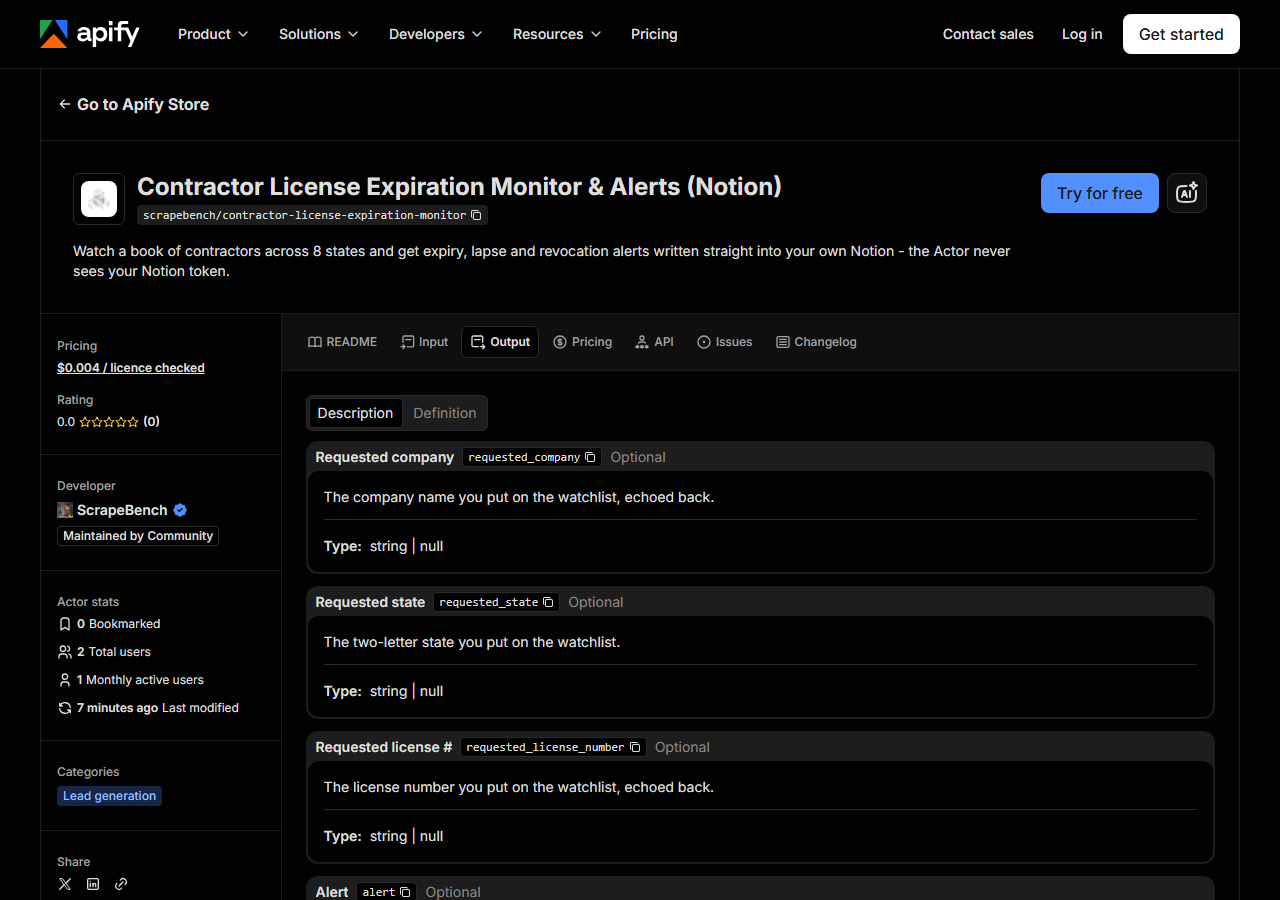
Every row looks like this — a real row from a real run:
{
  "requested_company": "ARIZA, JOHN MARIO",
  "requested_state": "FL",
  "requested_license_number": "CGC1514724",
  "alert": "status_change",
  "alert_reason": "license status is 'Null and Void'",
  "license_number": "CGC1514724",
  "business_name": "ARIZA, JOHN MARIO",
  "license_status": "Null and Void",
  "license_type": "Certified General Contractor",
  "expiration_date": "08/31/2020",
  "days_to_expiry": -2166,
  "previous_status": null,
  "authority": "DBPR",
  "checked_at": "2026-08-06T17:11:02+00:00",
  "fetch_error": null,
  "source_url": "https://www.myfloridalicense.com/wl11.asp"
}| Field | Example value | Meaning |
|---|---|---|
requested_company | ARIZA, JOHN MARIO | The company name you put on the watchlist, echoed back |
requested_state | FL | The state you put on the watchlist |
requested_license_number | CGC1514724 | The license number you put on the watchlist, echoed back |
alert | status_change | status_change | expired | expiring | current | not_found | unverifiable_state_not_covered | check_failed. not_found does NOT mean unlicensed |
alert_reason | license status is 'Null and Void' | Plain-language reason for the tier, e.g. ‘expires in 14 day(s) on 2026-08-20’ |
license_number | CGC1514724 | License number as published by the state board |
business_name | ARIZA, JOHN MARIO | Licensed business name as published by the state board |
license_status | Null and Void | Raw status string from the board (e.g. ACTIVE, Null and Void, REVOKED) |
alert is the field you came for, and the three unhappy values are the ones worth understanding
before you act on anything.
not_found does not mean the contractor is unlicensed. It means the state registry returned no
match for what you searched. A typo, a DBA that differs from the licensed entity name, or a licence
held under a parent company all produce not_found. Treat it as “go and look”, never as evidence
that somebody is operating illegally — that mistake is defamation-shaped, and it is the single
easiest way to misuse this data.
unverifiable_state_not_covered means the contractor is in one of the 42 states this monitor does
not cover. The row is kept rather than dropped, precisely so it cannot be mistaken for a clean bill
of health.
check_failed means the check did not complete — a board was down, a name was ambiguous, a portal
returned a record with no expiry date it normally publishes. It is never a pass, and fetch_error
tells you which. Rows with fetch_error set are never charged.
Two per-state gaps to know about, because they are properties of the boards rather than of this actor. Texas (TDLR) publishes no status field at all, so expiry monitoring works there but a revocation would not be seen. South Carolina (LLR) publishes no expiration date, even on an exact license-number lookup, so status monitoring works there and expiry does not. The other six states support both.
Step 5 — Export it
Open the Dataset tab and export to CSV, JSON, or Excel — or pull the same rows from the API, which is what you want if this is going to run on a schedule.
If you attached a connector, you do not need this step: the actor has already written an alert digest and the full compliance table to your Notion page, upserted in place by title. Run it weekly and you get one living page, not 52 copies of the table. A run with zero alerts still writes a heartbeat line — “No alerts. Checked 93 licence(s), all current” with the timestamp — so a monitor that has quietly broken never looks the same as a quiet week.
What it costs
You pay $0.004 per licence this monitor resolves on a state board. Rows that come back
not_found, unverifiable_state_not_covered or check_failed are free.
There is a second line on your bill and it is the bigger one: this monitor runs the per-state lookup actors on your behalf, and those charge their own per-match fees to your account. Here is a real 93-contractor run, measured on 2026-08-06:
| Line | Detail | Cost |
|---|---|---|
| Open-data boards (CA, CT, FL, OR, TX, WA) | 69 matches × $0.004 | $0.276 |
| CAPTCHA boards (NM, SC) | 25 searches × $0.02 + 25 matches × $0.01 | $0.750 |
| This monitor | 93 licences checked × $0.004 | $0.372 |
| Total | 93 contractors, one run | $1.398 |
That is $0.015 per contractor per check at that state mix — and note how lopsided it is. The 25 New Mexico and South Carolina contractors were 27% of the book but 73% of the lookup cost, because both boards put a CAPTCHA on the search itself and every licence cost a solve. South Carolina still works that way. New Mexico’s lookup has since moved to a monthly snapshot with no per-search fee ($0.004 per licence from 2026-11-10, $0.01 until then), so the NM half of that line is now cheaper than shown, and New Mexico rows are as of the latest monthly sweep rather than live.
For a 100-contractor book checked weekly (4.33 runs a month, so 433 checks):
- If your book avoids NM and SC: $0.008 per check → about $3.46/month.
- At the measured 27% NM/SC mix: $0.015 per check → about $6.51/month (measured 2026-08-06, while New Mexico still charged per search; a New Mexico-heavy book now costs less).
Apify platform compute is not billed to you on a pay-per-event actor; it comes out of our side. The 93-contractor run above cost us $0.025 of compute.
Where the data comes from
This reads eight official state licensing boards directly — CSLB (California), DCP (Connecticut), DBPR (Florida), CID (New Mexico), CCB (Oregon), LLR (South Carolina), TDLR (Texas) and L&I (Washington). Every night a canary runs this actor against that live source and diffs the result against a frozen fixture — what “verified” means.
No two of those boards agree on anything. Some are open-data endpoints that answer in under a second; California is an ASP.NET WebForms portal behind a WAF that will hand you an ordinary-looking 200 that is actually a redirect to its own search page; South Carolina gates the search itself behind a CAPTCHA that has to be solved per lookup, and New Mexico gates its search the same way, which is why its lookup reads a monthly snapshot of the whole registry instead. They disagree about date formats, about whether “status” exists, about whether an expiry date exists. The work in this actor is not fetching the pages — it is making eight incompatible answers mean the same thing, and refusing to paper over the places where they genuinely differ.
See it used
- Catch a lapsed subcontractor licence before the claim does — the insurance and GC version: what a weekly run actually surfaces on a real roster, and why “no alerts” is a result worth paying for.
- Monitor contractor licences and alert 30 days before expiry — the free n8n template this actor was built from, if you’d rather self-host the same logic and wire the credentials yourself.
Need a one-off answer rather than ongoing monitoring? Reach for the single-state lookup instead — California Contractor License Lookup verifies one contractor on demand, with no watchlist and no schedule.
Last updated 2026-08-06