How-to
How to run Connecticut Contractor Directory & Leads Scraper (DCP)
Step-by-step: the exact input, what each field does, and the rows that come back from CT DCP (Socrata).
You want a call list: every registered Home Improvement Contractor in Hartford County, or Fairfield, or New Haven, as rows you can dedupe, score and load into a CRM. Connecticut publishes that data on data.ct.gov as an open dataset, and you can export the whole thing to CSV for free, right now, without this actor — so let’s be clear that what you are paying for here is not access. The DCP dataset has no county column. It has a ZIP code, and the registry runs to six figures across every credential status, which means “contractors in Hartford County” is not a filter you can apply on the portal; it is a join you do yourself, in a spreadsheet, against a CT ZIP-to-county table you go and find. This actor does that join, applies the status filter, and hands you the county slice as a dataset you can hit from an API on a schedule.
What you’ll need
Nothing but an Apify account. The actor talks to CT DCP (Socrata) directly.
No API key, no CAPTCHA solver, no proxy. This is the easiest tier of target there is: a public Socrata JSON API, no anti-bot wall, no session, no login. The actor pages through it 1,000 rows at a time with plain HTTP. Nothing here is being unlocked — the work is in the schema, the county derivation, and the nightly check that the source hasn’t quietly changed shape under you.
Step 1 — Open the actor
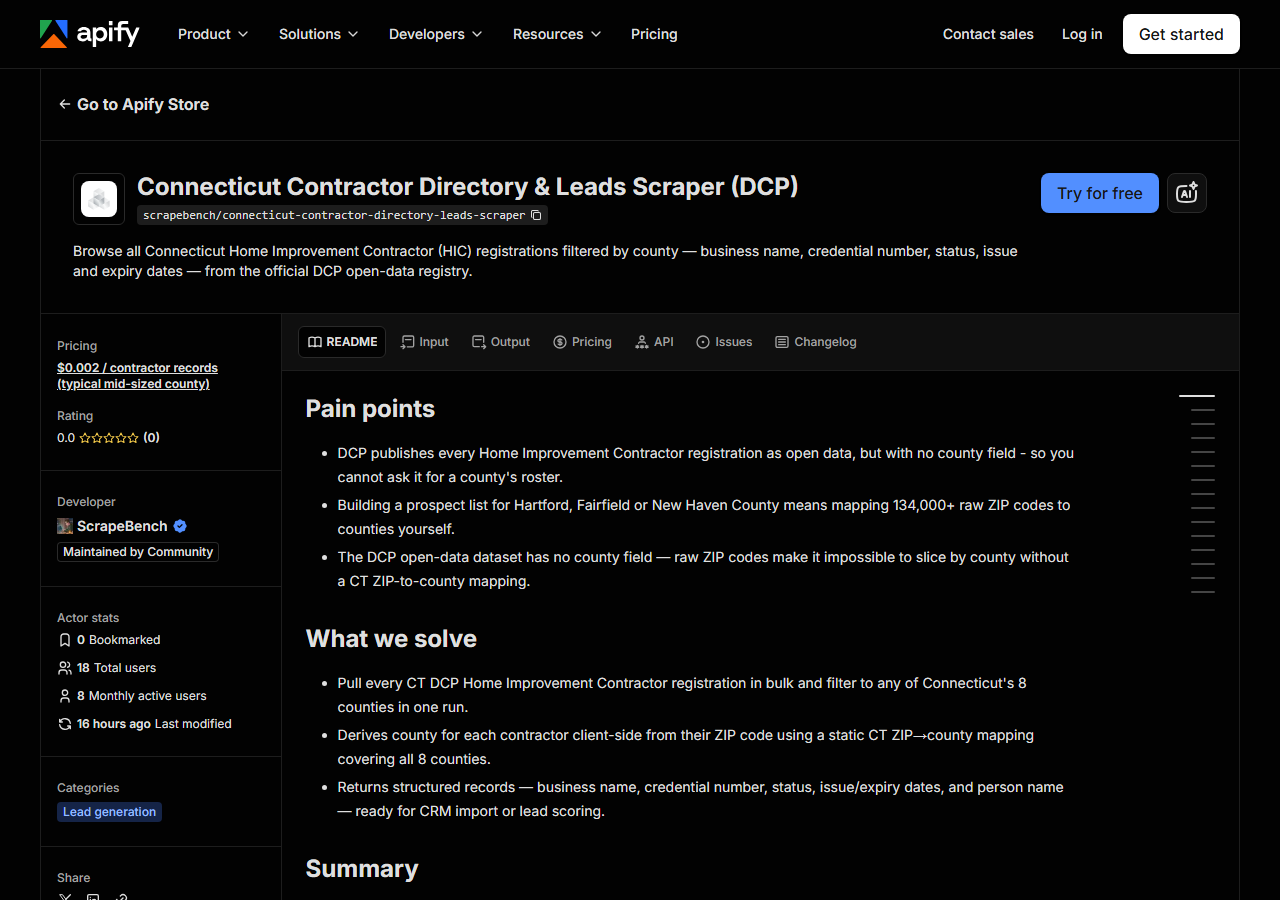
Open Connecticut Contractor Directory & Leads Scraper (DCP) on the Apify Store and press Try for free. The actor’s own page on this site lists its live health and pricing.
Step 2 — Fill in the input
| Field | Type | Required | What it does |
|---|---|---|---|
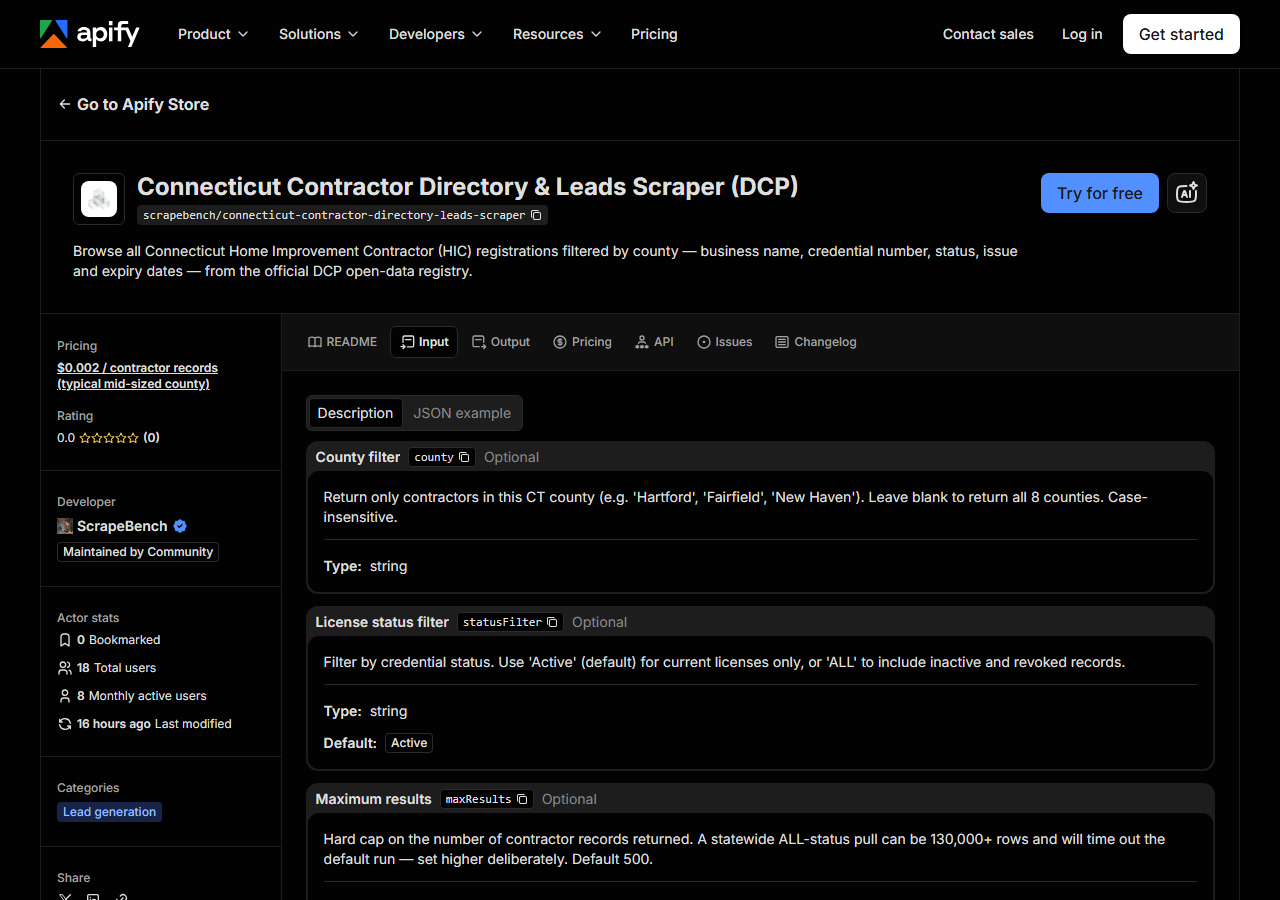
county | string | no | Return only contractors in this CT county (e.g. ‘Hartford’, ‘Fairfield’, ‘New Haven’). Leave blank to return all 8 counties. Case-insensitive. |
statusFilter | string | no | Filter by credential status. Use ‘Active’ (default) for current licenses only, or ‘ALL’ to include inactive and revoked records. (default Active) |
maxResults | integer | no | Hard cap on the number of contractor records returned. A statewide ALL-status pull can be 130,000+ rows and will time out the default run — set higher deliberately. Default 500. (default 500) |
The field that catches people out is maxResults, because it defaults to 500 and it is a cap on
matched rows, not a page size. Ask for Hartford County and leave the default in place and you get
the first 500 Hartford contractors the API happens to hand back — not all of them, and not a random
sample either. That is a fine way to look before you leap; it is a bad way to build a territory list
and then wonder why the county looks thin. Decide what you actually want and raise it. The reason the
default is low rather than unlimited: an ALL-status statewide pull is 130,000+ rows, and that is a
long run and a large bill to trip into by accident.
county is the other one. Spell it as Connecticut does — Hartford, Fairfield, New Haven,
Litchfield, Middlesex, New London, Tolland, Windham — with no “County” suffix. Matching is
case-insensitive, so hartford is fine. Leave it blank and you get every county, which is the right
move if you plan to slice it yourself downstream. And note that the county filter runs after the
county is derived from the ZIP, which is the caveat in the next section: a contractor whose ZIP the
mapping doesn’t recognise has no county, and a row with no county will never match a county filter.
statusFilter is the cheap one to get right. Active (the default) is applied at the API and gives
you people who can legally take the work today. ALL also returns inactive, expired and revoked
registrations — useful for a historical roster, wasted spend for outreach.
A working input:
{
  "county": "Hartford",
  "statusFilter": "Active",
  "maxResults": 500
}
Step 3 — Run it
Press Start. Rows are pushed to the dataset as they’re found, so the run log fills in as it works.
A healthy run scans the source in 1,000-row pages and logs its progress as it goes — you’ll see
lines telling you how many source rows have been scanned and how many have matched so far. That gap
is expected and it is not a fault: with a county filter on, the actor is reading the whole registry
and keeping the rows that land in your county, so the “scanned” number climbs far faster than the
“matched” one. It stops when your maxResults cap is hit or the registry runs out. Run times and
row counts per county aren’t measured here, so they’re not quoted; the log tells you the real numbers
within seconds of pressing Start.
An empty run is almost always the input. The two ways to get zero rows are a misspelled county
(Hartford County instead of Hartford) and a status value that doesn’t exist in the data. Zero
rows costs you nothing — charging is per record returned — so a wrong guess is free to correct. If
you want to prove the plumbing works before trusting a filter, run it with county blank and
maxResults at 20 and look at what comes back.
Step 4 — Read the output
Each run returns a labelled table, not raw JSON:
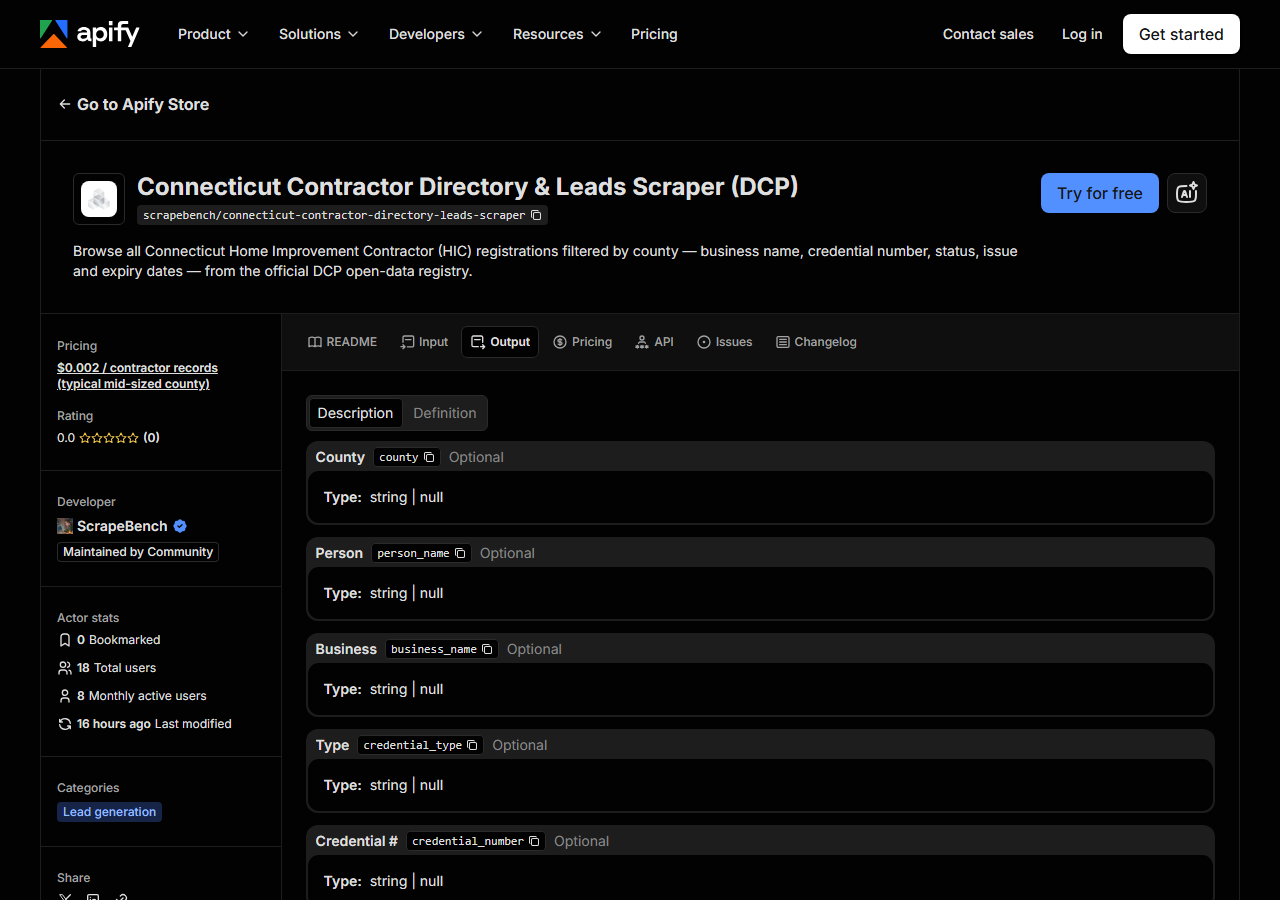
Every row looks like this — a real row from a real run:
{
  "county": "Hartford",
  "person_name": "JOHN SMITH",
  "business_name": "HARTFORD HOME PROS LLC",
  "credential_type": "HIC",
  "credential_number": "HIC.0567890",
  "status": "Active",
  "issue_date": "2020-03-15T00:00:00.000",
  "effective_date": "2020-03-15T00:00:00.000",
  "expiration_date": "2026-03-15T00:00:00.000",
  "city": "HARTFORD",
  "state_code": "CT",
  "zip_code": "06103",
  "source_url": "https://data.ct.gov/Business/Connecticut-Home-Improvement-Contractors/5r9m-qgni"
}| Field | Example value | Meaning |
|---|---|---|
county | Hartford | CT county derived from the contractor’s ZIP code (null for out-of-state addresses or unrecognised ZIPs) |
person_name | JOHN SMITH | Registrant / owner name as published by the DCP |
business_name | HARTFORD HOME PROS LLC | Licensed business name |
credential_type | HIC | Credential type (HIC — Home Improvement Contractor) |
credential_number | HIC.0567890 | DCP credential number (e.g. HIC.0567890) |
status | Active | Credential status (e.g. Active, Inactive, Revoked) |
issue_date | 2020-03-15T00:00:00.000 | Date the credential was originally issued |
effective_date | 2020-03-15T00:00:00.000 | Credential effective date (current renewal period start) |
The field most people came for is county, and it is the one field the source does not give you.
DCP publishes a ZIP code; the actor maps that ZIP to one of Connecticut’s eight counties using a
static lookup table shipped with it, covering roughly 350 CT ZIP codes. That has two consequences you
should know before you build a territory model on it. A contractor with an out-of-state address —
and Connecticut registers plenty of them, on both the New York and Massachusetts sides — has no CT
county, so county comes back null and the row will not appear in any county-filtered run. So will
a contractor sitting on a CT ZIP the table doesn’t carry. If county coverage has to be exhaustive
rather than good, take the run with county blank and do the ZIP join yourself against whatever
mapping you already trust; every row still carries its raw zip_code.
After that it’s the contact-ish columns — business_name, person_name, city, zip_code — which
are the list, and status plus expiration_date, which are how you qualify it. There are no email
addresses and no phone numbers in this dataset; DCP does not publish them, so no scraper can
conjure them and you should be sceptical of any CT contractor list that claims otherwise. Everything
else arrives as DCP stores it: names shouted in capitals, and dates as full ISO-ish timestamps
(2020-03-15T00:00:00.000) whose time component is always midnight and means nothing. Every field is
nullable. credential_type is HIC across the board — this dataset is Home Improvement Contractors
only, not electricians, not home inspectors, not the other DCP boards.
Step 5 — Export it
Open the Dataset tab and export to CSV, JSON, or Excel — or pull the same rows from the API, which is what you want if this is going to run on a schedule.
What it costs
$0.002 per record returned. A 500-row Hartford County pull costs $1.00; 5,000 records across a larger county come to $10.00. Runs that return nothing are free, so a misspelled county costs you nothing but the seconds. Apify’s own platform usage (compute) is billed separately under your plan, on top of the per-record fee.
The honest comparison is not against zero, because zero is available: data.ct.gov will export the same registry as a CSV for free, and if you want it once and you’re happy to do the ZIP-to-county work yourself in a spreadsheet, that is the correct answer and you should go do it. The fee buys the county derivation, the normalised field names, the status filter, and a run that repeats on a schedule and answers to an API without a person in the loop.
Where the data comes from
This reads CT DCP (Socrata) directly. The target is Socrata SODA JSON API (data.ct.gov, DCP home-improvement contractor credentials) - paged 1,000 rows at a time. Every night a canary runs this actor against that live source and diffs the result against a frozen fixture — what “verified” means.
The source is the Connecticut Department of Consumer Protection’s Home Improvement Contractor credential dataset, published through Socrata on data.ct.gov, and it is genuinely easy to reach — a plain public JSON API with no key, no wall and no session. The annoyance is not in getting it, it is in what it doesn’t contain: no county, no phone, no email, a status column that has to be filtered before it means anything, and a hundred-thousand-odd rows you must page through 1,000 at a time to get to any of it. Nor is a public API a stable one. Socrata datasets get columns renamed, ID’d differently, or re-published under a new dataset ID by the agency at will, and there is no changelog you’ll be reading; that quiet reshaping is exactly what the nightly canary catches. Worth knowing: the actor sends no Socrata app token, so if the API rate-limits you the run errors out rather than backing off and retrying.
See it used
Build a Hartford County Home Improvement Contractor List builds a whole county’s registered HIC list in one run.
If you already know which contractor you care about, this is the wrong tool: Multi-State Contractor & Trade License Lookup checks a single named licence, which is what you want when you’re vetting a bid you just received rather than building a list of people to send bids to. And if the territory you’re building is on the other coast, California Contractor Directory by Trade & County (CSLB) does the same county-level list-building job against CSLB, with the trade classification as an extra filter.
Last updated 2026-07-13