How-to
How to run California Contractor Directory by Trade & County (CSLB)
Step-by-step: the exact input, what each field does, and the real rows that come back from CSLB.
You want a list — every licensed electrician in Los Angeles County, every Class B builder in San
Diego, every plumber in Orange County — as rows you can filter, dedupe and load somewhere. CSLB’s
Public Data Portal will give you that for free, as a .xls, for up to ten classifications across up
to ten counties at a time. If that is genuinely all you need, stop reading and go download it; it is
public data and it costs nothing. What it will not do is run again next month without you, cover
more than ten counties in one pull, or land anywhere other than your Downloads folder. This actor is
the same data on a schedule, as JSON or CSV, addressable from an API.
What you’ll need
Nothing but an Apify account. The actor talks to CSLB directly.
No API key, no CAPTCHA-solving credentials, no proxy. CSLB serves this data to ordinary datacenter
IPs, so proxy configuration is off by default and you can leave it that way. If a run ever comes
back empty because your IP got blocked, there is a proxyConfiguration field to turn one on — but
that is a fallback, not a requirement, and you should not need it.
Step 1 — Open the actor
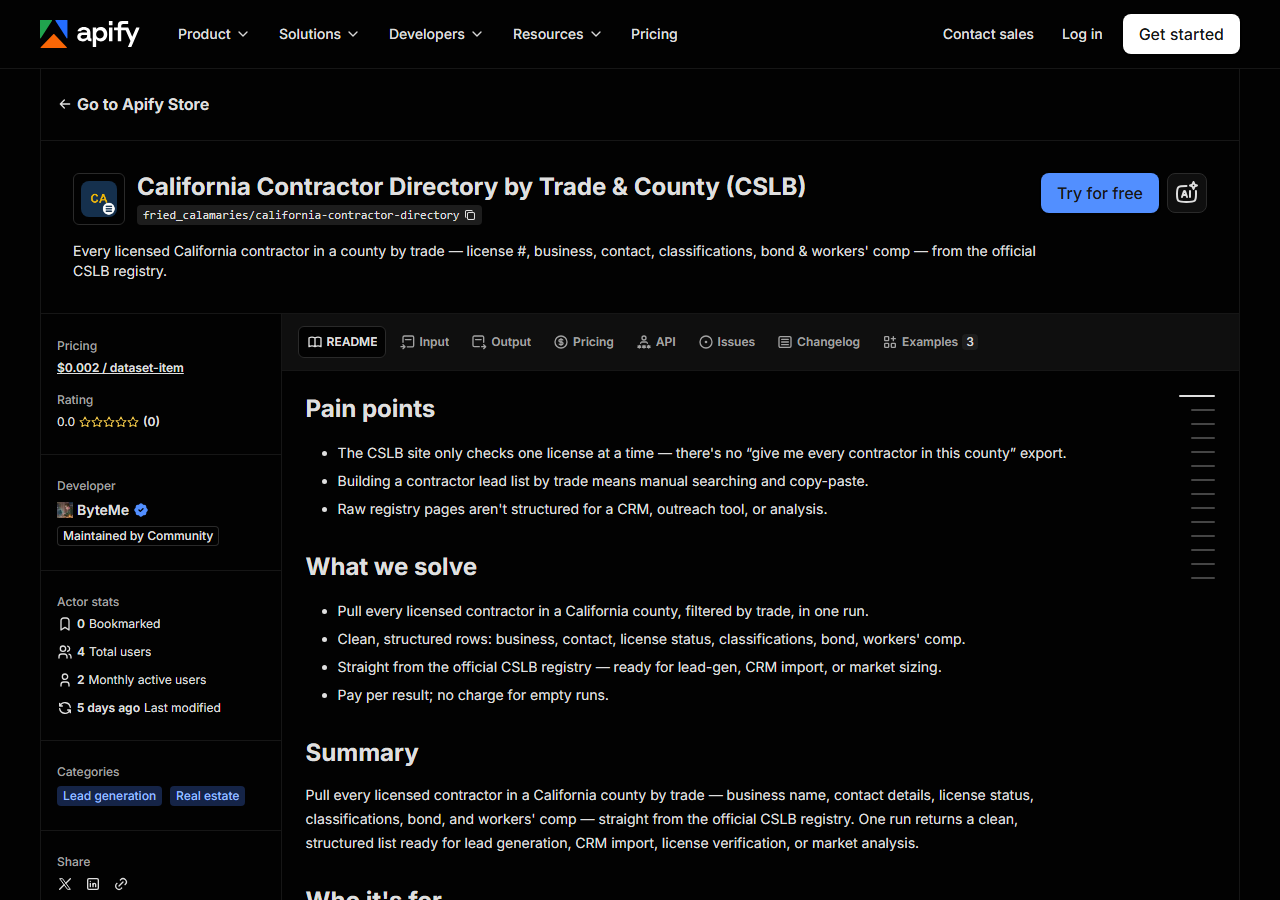
Open California Contractor Directory by Trade & County (CSLB) on the Apify Store and press Try for free. The actor’s own page on this site lists its live health and pricing.
Step 2 — Fill in the input
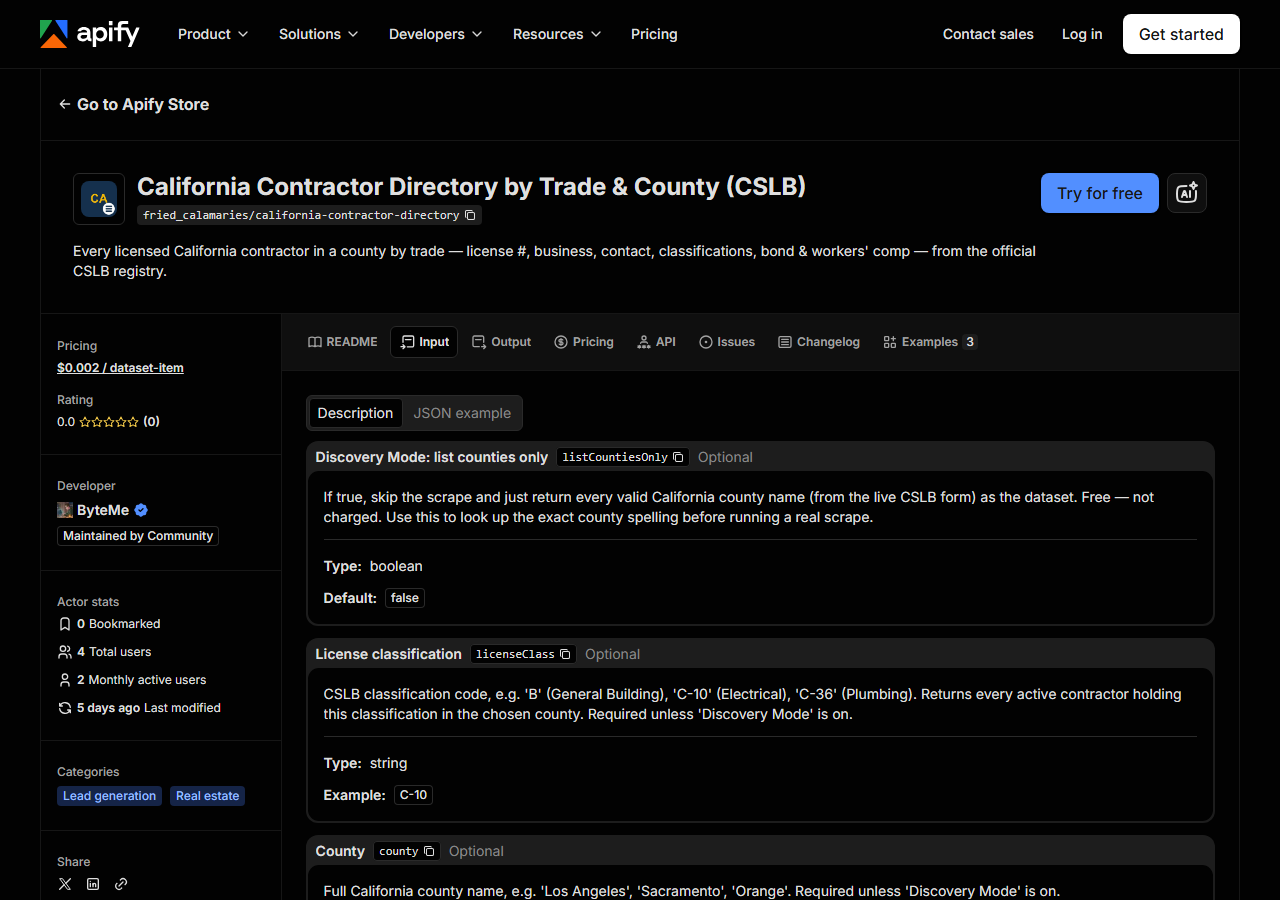
| Field | Type | Required | What it does |
|---|---|---|---|
listCountiesOnly | boolean | no | If true, skip the scrape and just return every valid California county name (from the live CSLB form) as the dataset. Free — not charged. Use this to look up the exact county… |
licenseClass | string | no | CSLB classification code, e.g. ‘B’ (General Building), ‘C-10’ (Electrical), ‘C-36’ (Plumbing). Returns every active contractor holding this classification in the chosen county.… |
county | string | no | California county name, e.g. ‘Los Angeles’, ‘Sacramento County’, ‘orange’. Case, spacing and a trailing ‘County’ do not matter. If it is missing or is not a California county, the run returns the free county list instead of failing. |
maxResults | integer | no | Cap on the number of license records returned in a single run. Leave empty to return all matches. |
Two fields decide everything: licenseClass and county. Both are matched against the live CSLB
form, so both have to be spelled the way CSLB spells them. licenseClass is the classification
code — B for General Building, C-10 for Electrical, C-36 for Plumbing — not the trade name;
“electrician” will get you nothing. county is the county name (Los Angeles, not LA) — case, spacing and a trailing “County” are
folded before matching, so San Diego County and san diego both land. Anything that matches no
California county, or a run with a field left blank, comes back as the free county list rather than
an error; you can also ask for that list up front by ticking Discovery Mode (listCountiesOnly).
A class+county pair CSLB simply has no licences for (say C-20 in Alpine) returns zero rows and
costs nothing — it is an answer, not a failure.
One run covers as many classifications and counties as you list: every trade is pulled for every
county, so six trades across three counties is one run, not eighteen. The single-value
licenseClass/county fields still work exactly as before.
maxResults is a cap, not a filter. Leave it empty and you get every match; set it to 100 and you
get the first 100 rows, which is a sensible way to see what a county looks like before you commit to
the whole thing.
A working input:
{
  "licenseClass": "C-10",
  "county": "Los Angeles",
  "maxResults": 1000
}
Step 3 — Run it
Press Start. Rows are pushed to the dataset as they’re found, so the run log fills in as it works.
A healthy run starts pushing rows and keeps pushing until the county is exhausted or maxResults is
hit. Run times and row counts are not measured here, so they are not quoted — a dense trade in a
dense county obviously takes longer than a rare one in a rural county, and you will see the real
number in the log within seconds of starting.
An empty run is almost always the input, not the actor. A misspelled county, a trade name where a classification code belongs, or a classification that genuinely has no active holders in that county all return zero rows. Zero rows costs you nothing — the actor charges per result, so an empty run is free. Check the spelling first, then try the same classification against a larger county to prove the filter works.
The one cause that isn’t your input is CSLB being offline. It takes its online services down by
redirecting to a Department of Consumer Affairs notice page, which the CSLB website itself gives no
sign of. You won’t get a silent empty file for that: the run returns a single unbilled row with
notice_type: "blocked" naming the redirect, so “no contractors matched” and “the state portal is
switched off” can’t be confused. Retry later — nothing about your input needs changing.
Step 4 — Read the output
Each run returns a labelled table, not raw JSON:
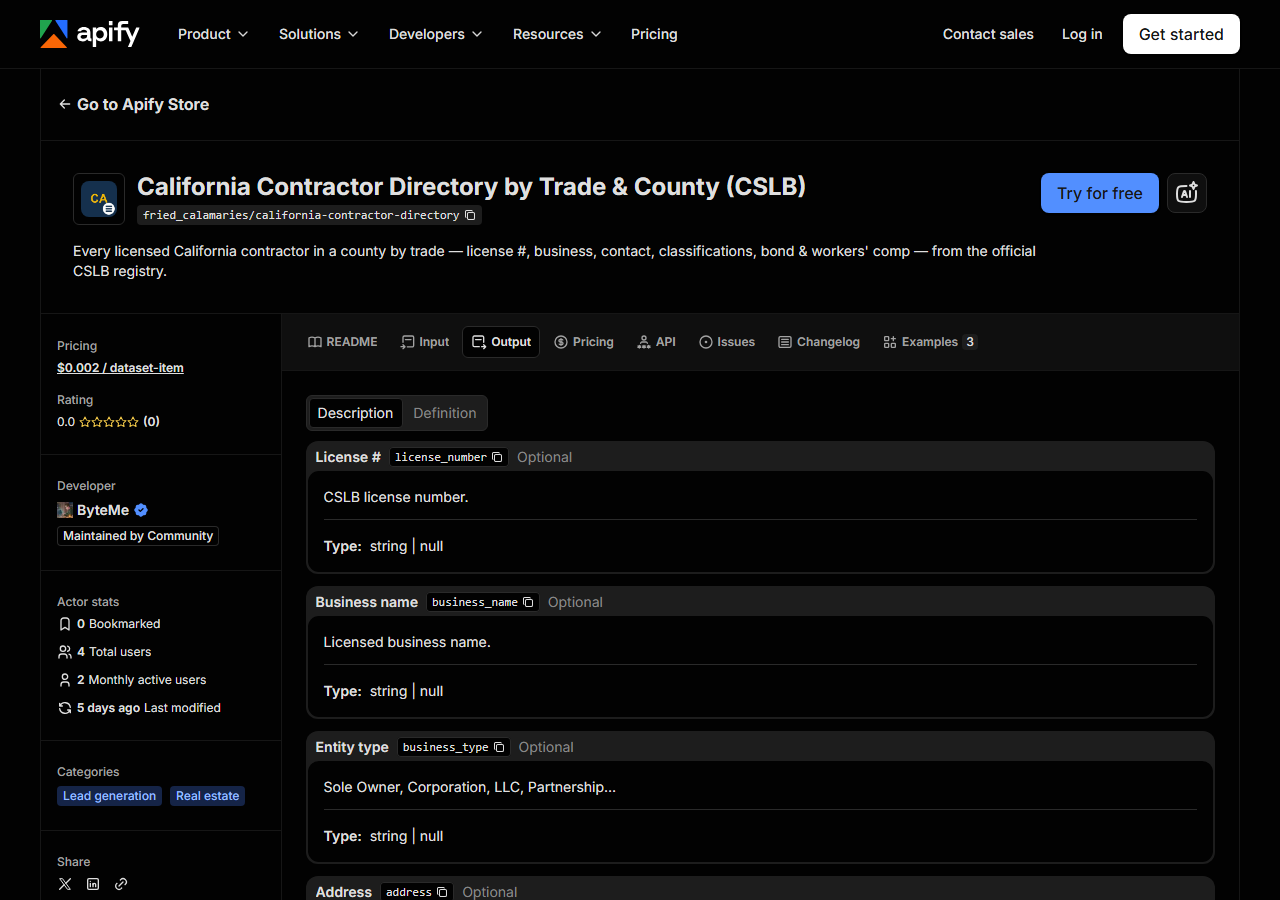
Every row looks like this — a real row from a real run:
{
  "license_number": "22726",
  "business_name": "RANSOME COMPANY",
  "business_type": "Corporation",
  "address": "1933 WILLIAMS STREET",
  "city": "SAN LEANDRO",
  "county": "Alameda",
  "zip_code": "94577",
  "phone": "(510) 686 9900",
  "classifications": [
    "A",
    "C10"
  ],
  "status": "CLEAR",
  "issue_date": "07/01/1932",
  "expiration_date": "10/31/2027",
  "surety_company": "HARCO NATIONAL INSURANCE COMPANY",
  "bond_number": "354811",
  "workers_comp_type": "Workers' Compensation Insurance",
  "workers_comp_company": "TRAVELERS PROPERTY CASUALTY COMPANY OF AMERICA",
  "source_url": "https://www.cslb.ca.gov/onlineservices/checklicenseII/LicenseDetail.aspx?LicNum=22726"
}| Field | Example value | Meaning |
|---|---|---|
license_number | 22726 | CSLB license number |
business_name | RANSOME COMPANY | Licensed business name |
business_type | Corporation | Sole Owner, Corporation, LLC, Partnership… |
address | 1933 WILLIAMS STREET | Business street address |
city | SAN LEANDRO | City |
county | Alameda | County |
zip_code | 94577 | ZIP code |
phone | (510) 686 9900 | Business phone |
Most people came for phone and the address block — that is the outreach list. A few came for
status, expiration_date, bond_number and the workers’-comp pair, which is the compliance list.
Both come out of the same run.
Things to watch. There are no email addresses — CSLB does not release them (Business &
Professions Code §27), so no scraper can produce them and you should distrust any list that claims
to. Fields are nullable: a sole owner with no bond on file leaves surety_company and bond_number
empty, and a contractor claiming an exemption has a workers_comp_type but no
workers_comp_company. Text arrives as CSLB stores it — business names shouted in capitals, phones
as (510) 686 9900, dates as MM/DD/YYYY strings — so normalise before you mail-merge.
classifications is an array and usually holds more than one code: a licence returned by a C-10
search may also carry A and B. Filter on membership, not equality.
Step 5 — Export it
Open the Dataset tab and export to CSV, JSON, or Excel — or pull the same rows from the API, which is what you want if this is going to run on a schedule.
What it costs
$0.002 per result row. A run that returns 500 C-10 electricians in Los Angeles County costs $1.00. Empty runs are free, and Discovery Mode is free, so exploring the county list or getting a filter wrong costs nothing. Apify’s own platform usage (compute) is billed separately under your plan, on top of the per-result fee.
The comparison to make is not against zero. CSLB’s own download is free, and for a single one-off pull it is the right answer. The per-result fee buys the run being repeatable, schedulable and API-addressable without a person in the loop.
Where the data comes from
This reads CSLB directly. The target is ASP.NET WebForms (__VIEWSTATE / __EVENTVALIDATION). Every night a canary runs this actor against that live source and diffs the result against a frozen fixture — what “verified” means.
CSLB’s Public Data Portal is an ASP.NET WebForms app, which means the classification and county
dropdowns are not a query string you can construct — every selection is a postback carrying
__VIEWSTATE and __EVENTVALIDATION tokens that the server minted for your session and will reject
if they are stale or replayed. So a “just fetch the URL” approach does not exist here; you have to
hold a session, drive the form the way a browser would, and re-read the tokens after every step.
That is most of the work, and it is why the shape of the page is worth watching: a renamed field or
a reordered postback breaks the whole thing silently, which is what the nightly canary exists to
catch.
See it used
Three worked scenarios, same actor, different filter: All Licensed Electricians in Los Angeles County builds an outreach list for a supplier; Plumbing Contractors in Orange County uses the bond and workers’-comp columns as a qualification filter; General Building Contractors in San Diego County sizes a market before entering it.
If you already know which contractor you care about, this is the wrong tool. California Contractor License Lookup & Verify (CSLB) checks a single licence by number, business name, or the name of a person on it — that is the one to reach for when you are verifying a bid you just received rather than building a list of people to send bids to.
Last updated 2026-07-13