How-to
How to run Business Email, Phone & Contact Details Scraper
Step-by-step: give it a list of website URLs, get back each business's email, phone, social links and address — de-obfuscated, classified, and franchise-flagged.
You have a list of company websites and no way to reach anyone. Maybe it came from a directory scrape, a conference attendee list, a spreadsheet a colleague sent, or another Apify actor. A URL is not something you can call or email, and the contact details you need are usually sitting in plain sight on the company’s own site — on a contact page, an about page, a team page — just scattered, sometimes obfuscated, and never in a column. Doing it by hand is opening each site, hunting through its menu, copying whatever you find, and repeating that a few hundred times. This actor does exactly that, for every URL you give it, in one run — and it pulls the email, the phone, the social profiles and the postal address, not just one of them.
What you’ll need
Nothing but an Apify account and a list of URLs. The actor talks to each website directly.
No API key, no login, no proxy in the normal case — it fetches ordinary public web pages. If a
particular target blocks datacenter IPs you can turn on a proxy in proxyConfiguration, but that’s a
fallback for stubborn sites, not something you set up in advance.
Step 1 — Open the actor
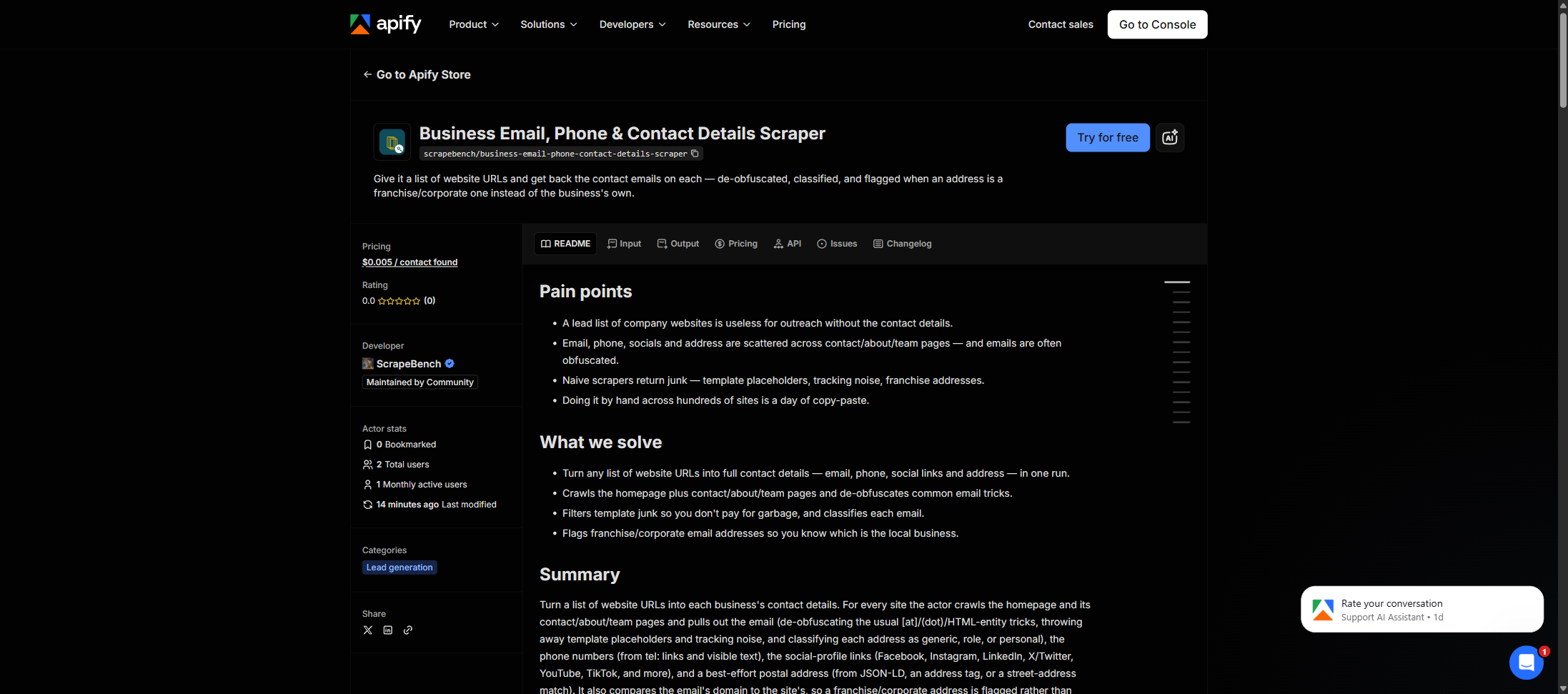
Open Business Email, Phone & Contact Details Scraper on the Apify Store and press Try for free. The actor’s own page on this site lists its live health and pricing.
Step 2 — Fill in the input
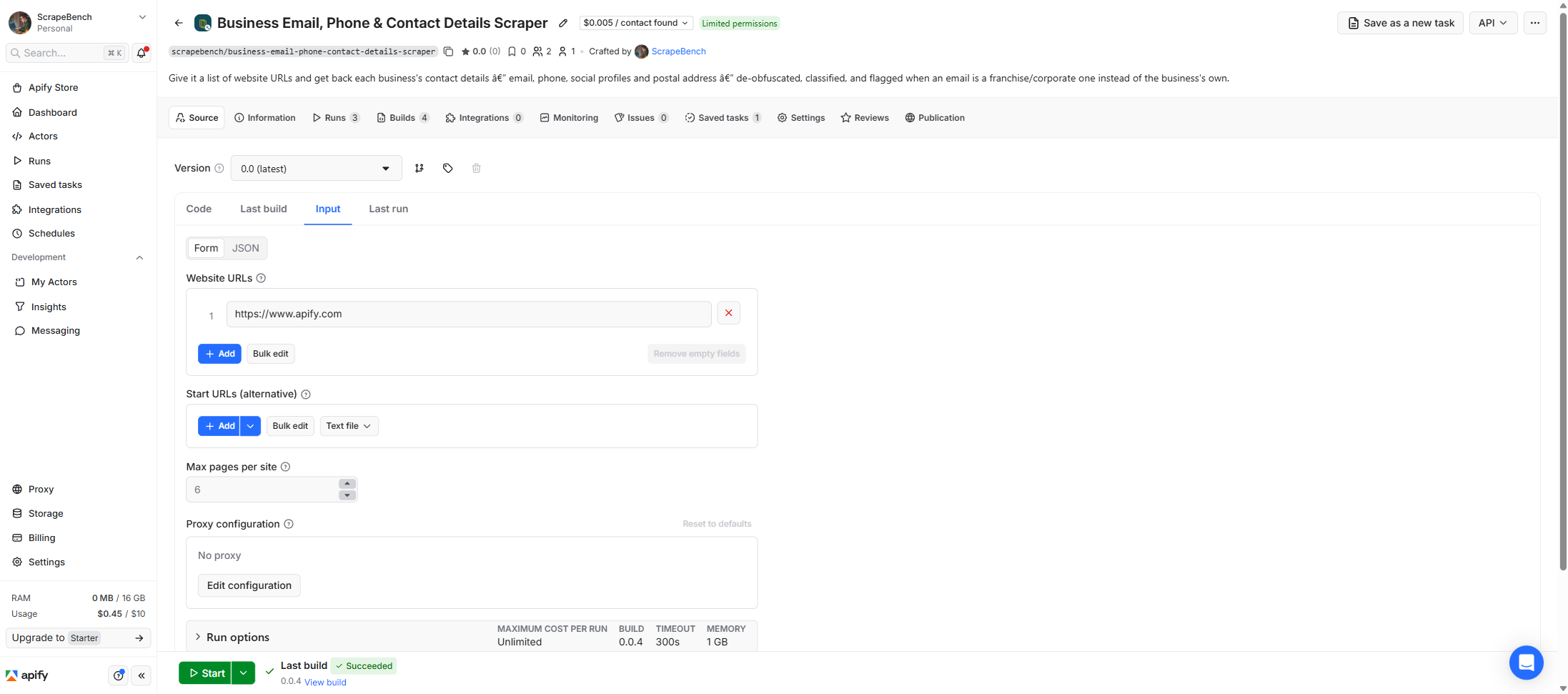
| Field | Type | Required | What it does |
|---|---|---|---|
urls | array | no | The websites to crawl for contact details. A bare domain is fine — ‘http://’ is assumed. |
startUrls | array | no | Standard Apify URL list — an alternative to ‘urls’ (e.g. from a linked dataset or Google Sheet). |
maxPagesPerSite | integer | no | How many pages to crawl per site (homepage plus contact/about/team pages). Default 6. |
The only field you have to think about is the URL list. Put your sites in urls — bare domains are
fine, http:// is assumed — or wire a bigger list in through startUrls, which takes the standard
Apify sources (a linked dataset, a Google Sheet, a text file), so you can point this at the output of
another scraper without copy-pasting. maxPagesPerSite is the one knob worth knowing about: the
actor reads the homepage plus a handful of contact/about/team pages, and 6 is a sensible default.
Raising it crawls deeper on sites that bury their details a click further in — a higher hit rate at
slightly more compute — and it’s the thing to increase if a batch comes back with more empty rows
than you expected.
A working input:
{
  "urls": ["https://basecamp.com", "https://www.gitlab.com"],
  "maxPagesPerSite": 6
}
Step 3 — Run it
Press Start. Rows are pushed to the dataset as they’re found, so the run log fills in as it works.
You get exactly one row per input URL, no matter what — a site that yields an email, a phone and three
socials and a site that yields nothing both produce a row, so the output lines up one-to-one with your
list. On a typical list of small-business sites, most come back with at least an email or a phone; the
rest are no_email (the site lists no email, though it may still carry a phone or social) or
unreachable (it blocked the fetch). There’s no such thing as an “empty run” here unless you gave it
no URLs.
Step 4 — Read the output
Each run returns a labelled table, not raw JSON:
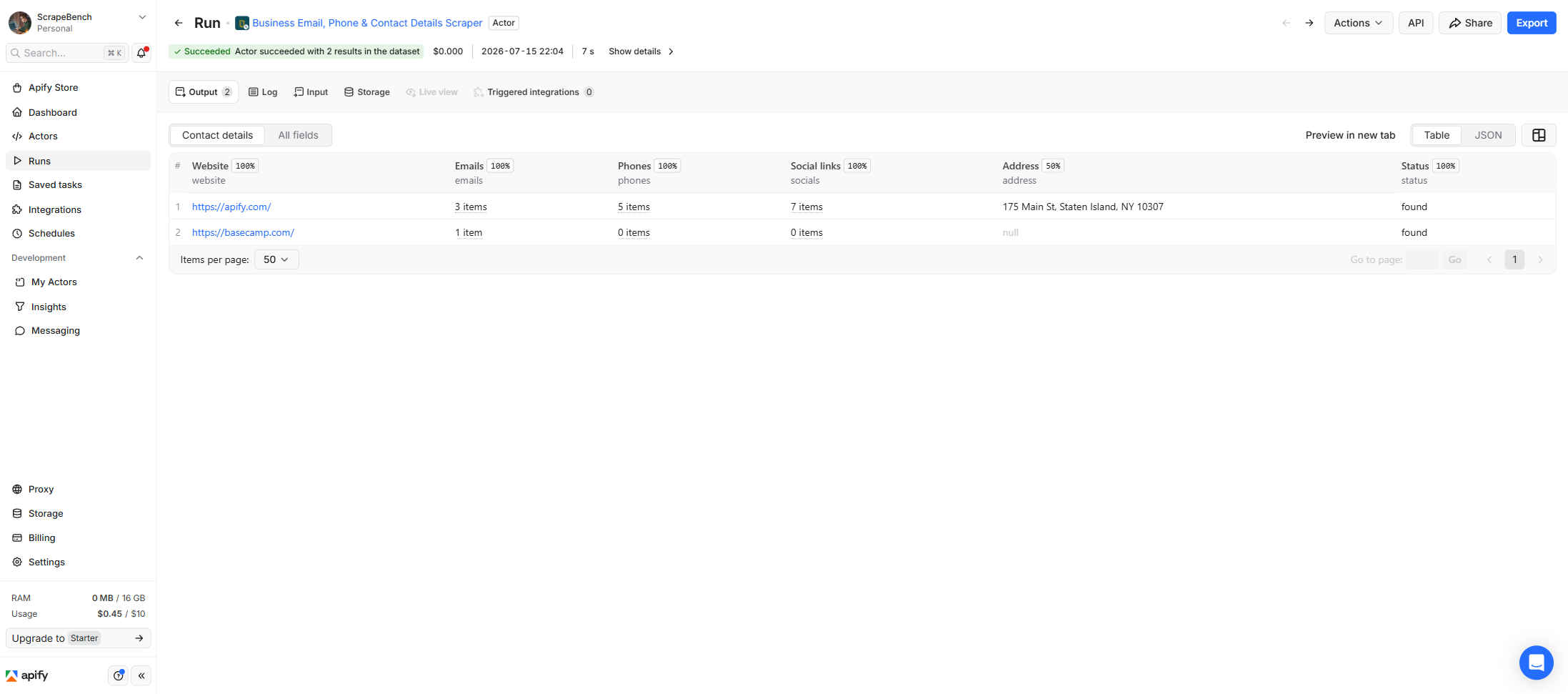
Every row looks like this — a real row from a real run:
{
  "website": "https://acme-consulting.com",
  "emails": [
    { "email": "info@acme-consulting.com", "source_url": "https://acme-consulting.com/contact", "type": "generic", "confidence": "high" },
    { "email": "jane@acme-consulting.com", "source_url": "https://acme-consulting.com/team", "type": "personal", "confidence": "high" }
  ],
  "phones": ["+1 (415) 555-0100"],
  "socials": [
    { "platform": "linkedin", "url": "https://www.linkedin.com/company/acme-consulting/" },
    { "platform": "facebook", "url": "https://www.facebook.com/acmeconsulting" }
  ],
  "address": "123 Main St, Concord, CA, 94520",
  "email_domain_matches_website": true,
  "status": "found",
  "source_url": "https://acme-consulting.com"
}| Field | Example value | Meaning |
|---|---|---|
website | https://acme-consulting.com | The site crawled (after redirects) |
emails | [{email, type, confidence}] | Every address found on the site |
phones | ["+1 (415) 555-0100"] | Phone numbers found (tel: links + visible text) |
socials | [{platform, url}] | Social-profile links found on the site |
address | 123 Main St, Concord, CA, 94520 | Best-effort postal address, when published |
email_domain_matches_website | true | false = a franchise/corporate email, not this site’s business |
status | found | found / no_email / unreachable / corporate_site |
source_url | https://acme-consulting.com | The URL exactly as you gave it — joins back to your list (website is where it landed after redirects) |
The emails array has already been cleaned up for you. Template placeholders (you@example.com),
tracking noise and image filenames are filtered out before they ever reach the row, so you’re not
paying for junk. Each real address is de-obfuscated (info [at] acme [dot] com becomes
info@acme.com), tagged generic / role / personal so you can prioritise a named person over a
shared inbox, and carries the source_url of the exact page it came from. confidence is high when
the email is on the site’s own domain and medium when it’s on a linked page, and
email_domain_matches_website: false is the franchise flag — a local franchise page that only
surfaces customercare@brand.com is corporate, not the local business.
The phones and socials arrays are the other half of the row: phone numbers gathered from tel:
links and standard visible formats, and social-profile URLs (Facebook, Instagram, LinkedIn, X/Twitter,
YouTube, TikTok, and more) linked from the site. address is best-effort — you’ll get it when the
business publishes a machine-readable address (JSON-LD, an address tag) or a recognizable US street
address, and it’s null otherwise.
Step 5 — Export it
Open the Dataset tab and export to CSV, JSON, or Excel — or pull the same rows from the API, which is what you want if this is going to run on a schedule.
What it costs
$0.005 per website that yields at least one email or phone number. A batch of 300 sites where ~200 have an email or phone costs about $1.00 — the rest, and any that were unreachable, are free. Social links and the postal address ride along at no extra charge. You pay for results, not for the crawl — compute and proxies are on us.
Where the data comes from
This reads each website you give it directly — the homepage plus its contact/about/team pages. Every night a canary runs this actor against a stable site with known public details and confirms it still comes back — what “verified” means.
There’s no single “source portal” here — the source is whatever list of sites you bring, which is the whole point: it’s platform-agnostic, so it works on the output of a directory scrape, a CRM export, or a hand-built list equally. The catch is that a detail only comes back if the business actually published it on its own site; this finds what’s there, it doesn’t guess or verify that an email delivers. And it deliberately does not crawl Facebook or Instagram themselves — those wall their content behind login and JavaScript challenges — though it does return the social-profile links a site puts on its own pages.
See it used
Find contact details for a list of company websites walks through the core job — a batch of URLs in, a clean contactable list out — and what to do with the empty rows.
If you don’t have the websites yet, Chamber of Commerce Member Directory & Business Leads Scraper finds the businesses and runs this same enrichment engine on them in a single pass — reach for it when you want the leads and the contacts together rather than bringing your own URL list.
Last updated 2026-07-15