How-to
How to run Alabama Contractor License Lookup & Verify (LBGC)
Step-by-step: the exact input, what each field does, and the rows that come back from AL LBGC.
A subcontractor sends you a bid, or a name lands in your CRM, and you need to know whether Alabama actually licenses them as a general contractor — and in what. The board publishes that for free: Alabama’s LBGC license-search page lists its whole licensee roster, and clicking a row opens the contractor’s detail page with the address, ZIP and expiration on it. For one contractor, that is a minute of your life and you should just go and do it. It gets tedious at volume — the roster is one long client-side-paged table, so a batch of twenty subs is twenty searches, twenty clicks into a detail page, and forty copy-pastes back into a spreadsheet, with the classification codes retyped by hand. This actor is the same public record, as rows, addressable from an API.
What you’ll need
Nothing but an Apify account. The actor talks to AL LBGC directly.
No API key, no CAPTCHA-solving credentials, no proxy. The board’s site is plain server-rendered HTML
with no anti-bot wall on it, and it serves ordinary datacenter IPs happily, so the actor just fetches
it. There is a proxyConfiguration field in the input; it is off by default and you should not need
to touch it.
Step 1 — Open the actor
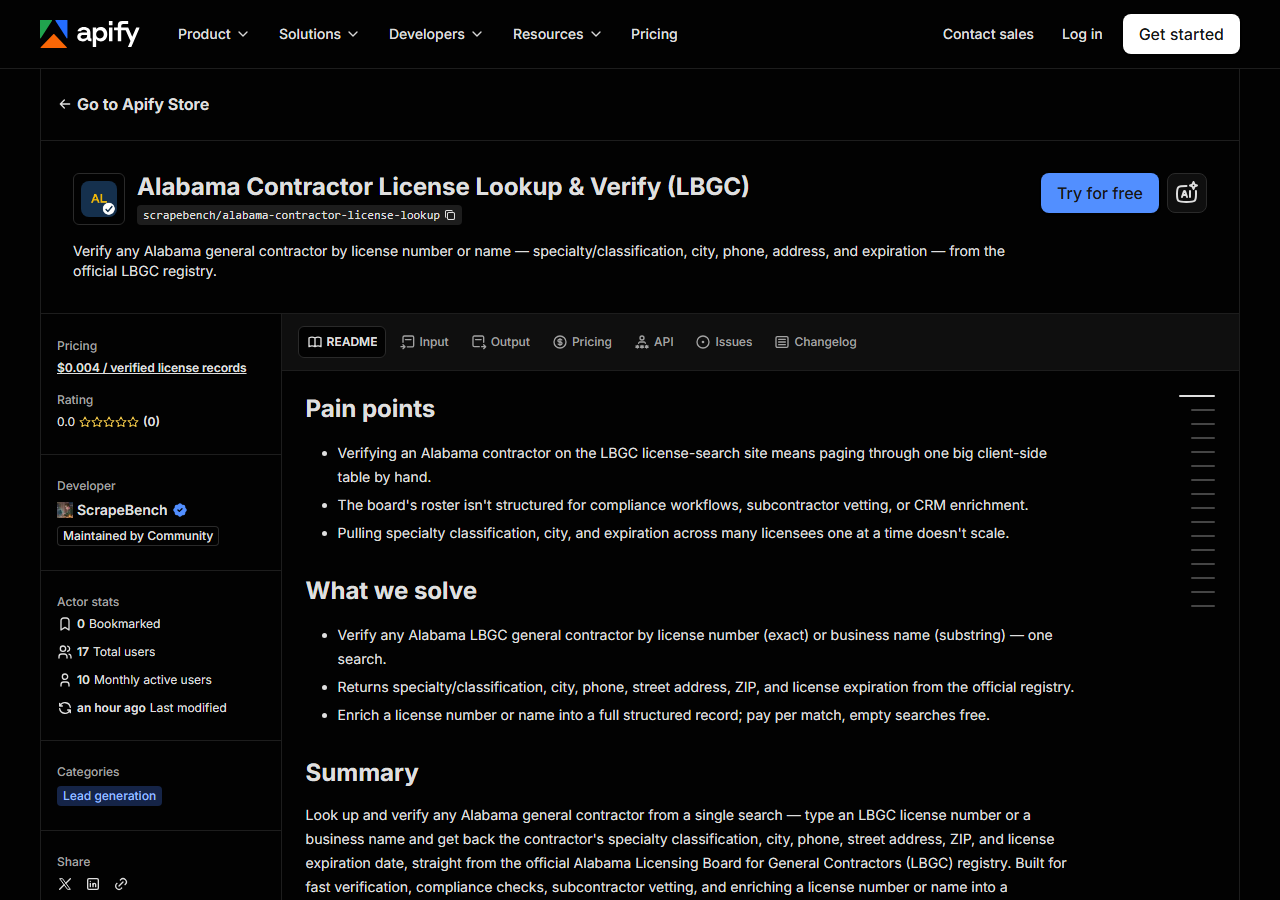
Open Alabama Contractor License Lookup & Verify (LBGC) on the Apify Store and press Try for free. The actor’s own page on this site lists its live health and pricing.
Step 2 — Fill in the input
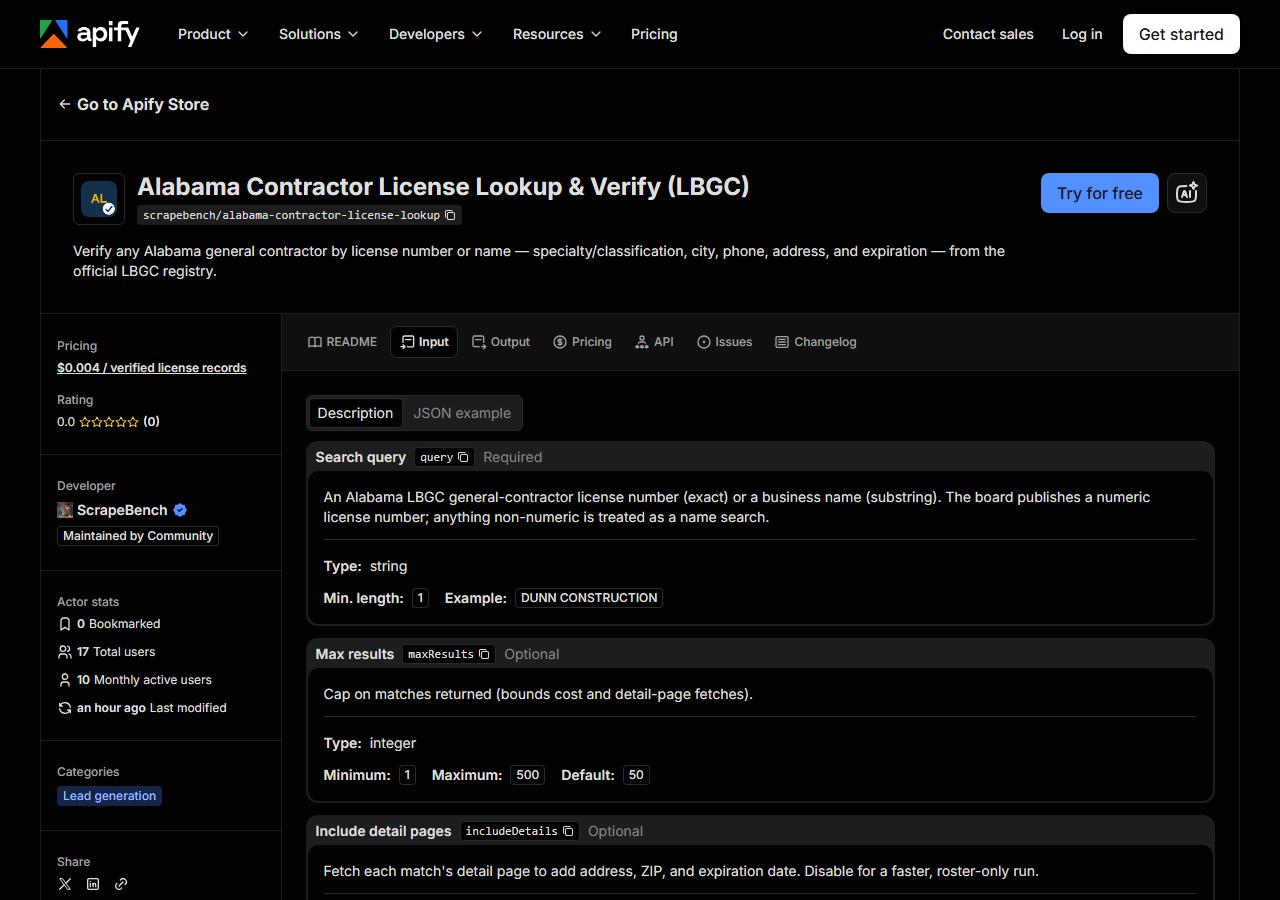
| Field | Type | Required | What it does |
|---|---|---|---|
query / queries | string / list | no | An Alabama LBGC license number (exact) or a business name (substring). Leave both empty to export the roster instead. |
classification / classifications | string / list | no | Export only: an LBGC code (BC, MU-S, SUBCONTRACTOR, …) or a word from the description (roofing). |
status | string | no | Export only: active (default), inactive or all. |
addressState | string | no | Export only: two-letter state of the mailing address, e.g. AL. |
city / zip | string | no | Export only: mailing city (exact) or 5-digit ZIP; each also takes a list (cities, zips). |
maxResults | integer | no | Per query in a search (default 50); for the whole run in an export (default 500, up to 100000). |
includeDetails | boolean | no | Search only: fetch each match’s detail page to add address, ZIP, and expiration date. (default True) |
query decides which of two jobs the actor does. Fill it in and it verifies; leave it empty and it
exports (next section). A search has two modes chosen for you by what you type. A licence-shaped
value — 8, 4510, or a prefixed number like S-53030 — is read as an LBGC license number and
matched exactly. Anything else
is read as a business name and matched as a case-insensitive substring of the licensed name, so
CONSTRUCTION returns every licensee with that word anywhere in its name, and Dunn returns Dunn
Construction along with anything else containing “dunn”. There is no fuzzy matching and no
punctuation forgiveness: search the shortest distinctive fragment of the name rather than the full
legal string with its , INC. on the end. The mode that fired is stamped on every row as
matched_by, so you can always see which one you got.
maxResults (default 50) is a cap, not a ranking. The actor walks the roster in the board’s own
order and stops at the cap, so a broad name search returns the first fifty matches, not the fifty
best ones. If a search feels arbitrary, that is why — narrow the query rather than raising the cap.
includeDetails is on by default and is what fills in address, zip_code and expiration_date:
those three live on each contractor’s detail page, and the actor fetches one page per match to get
them. Turn it off and the run is faster and lighter, but those three fields come back null. Leave it
on unless you only want the roster-level columns.
A working input:
{
  "query": "CONSTRUCTION",
  "maxResults": 25
}
Exporting the whole roster
Leave query and queries empty and the actor stops searching and reads LBGC’s own roster file
instead — the FullRosterReport CSV the board links from its search page, one download with every
licensee in it. On 2026-10-09 that file held 8,993 licensees, 8,917 of them active. The rows
already carry street address, ZIP, phone, fax, bid limit and expiry, so no detail pages are fetched,
and the filters narrow it before anything is billed:
{
  "classification": "roofing",
  "addressState": "AL",
  "maxResults": 1000
}
That input returned 159 active roofing licensees with an Alabama mailing address on 2026-10-09,
every one of them with a phone number; "classification": "BC" with the same state returned 733.
Two things about the roster decide which filters you want. First, LBGC licenses a lot of firms from
elsewhere: only 4,172 of the 8,917 active licensees had an Alabama address, so addressState: "AL"
is the filter for “contractors based here”. Second, LBGC publishes no county at all, so narrow by
city or zip. A code such as BC matches only that code (BC-S, the subclassification, is a
different code); a word such as roofing matches any classification whose description contains a
word starting with it. A filter value the actor does not recognise is dropped with a log line, and
if nothing you gave is recognised you get one free row saying so — never the whole state.
maxResults defaults to 500 in an export, as a spend control. Set it to 100000 to take everything
that matches; the log line states how many matched whenever the cap cut the run short.
Step 3 — Run it
Press Start. Rows are pushed to the dataset as they’re found, so the run log fills in as it works.
A healthy run does one big fetch first — the entire roster, 8,993 licensees on 2026-10-09, arrives
in a single response — and filters it in memory, so the search itself is instant. An export is that
one fetch and nothing else. The time after that is
detail pages: one request per match when includeDetails is on. A license-number lookup is therefore
one match and one detail fetch; a broad name search capped at 50 is up to fifty of them. That is the
honest shape of the run; the wall-clock depends on the board’s servers on the day, so start one and
watch the log.
An empty run is nearly always the query, not the actor. The license match is an exact string compare
against the number as the board prints it, so 00008 will not find licensee 8. (Until 2026-10-09
a prefixed number such as S-53030 was searched as a name and could never match; 3,474 of the
board’s 8,993 licence numbers carry a prefix like that, and they are now looked up exactly.) On the
name side, a full legal string with punctuation the board spells differently matches nothing as a
substring. Zero rows costs nothing — the actor charges per result — so drop back to the shorter
fragment and look again.
Step 4 — Read the output
Each run returns a labelled table, not raw JSON:
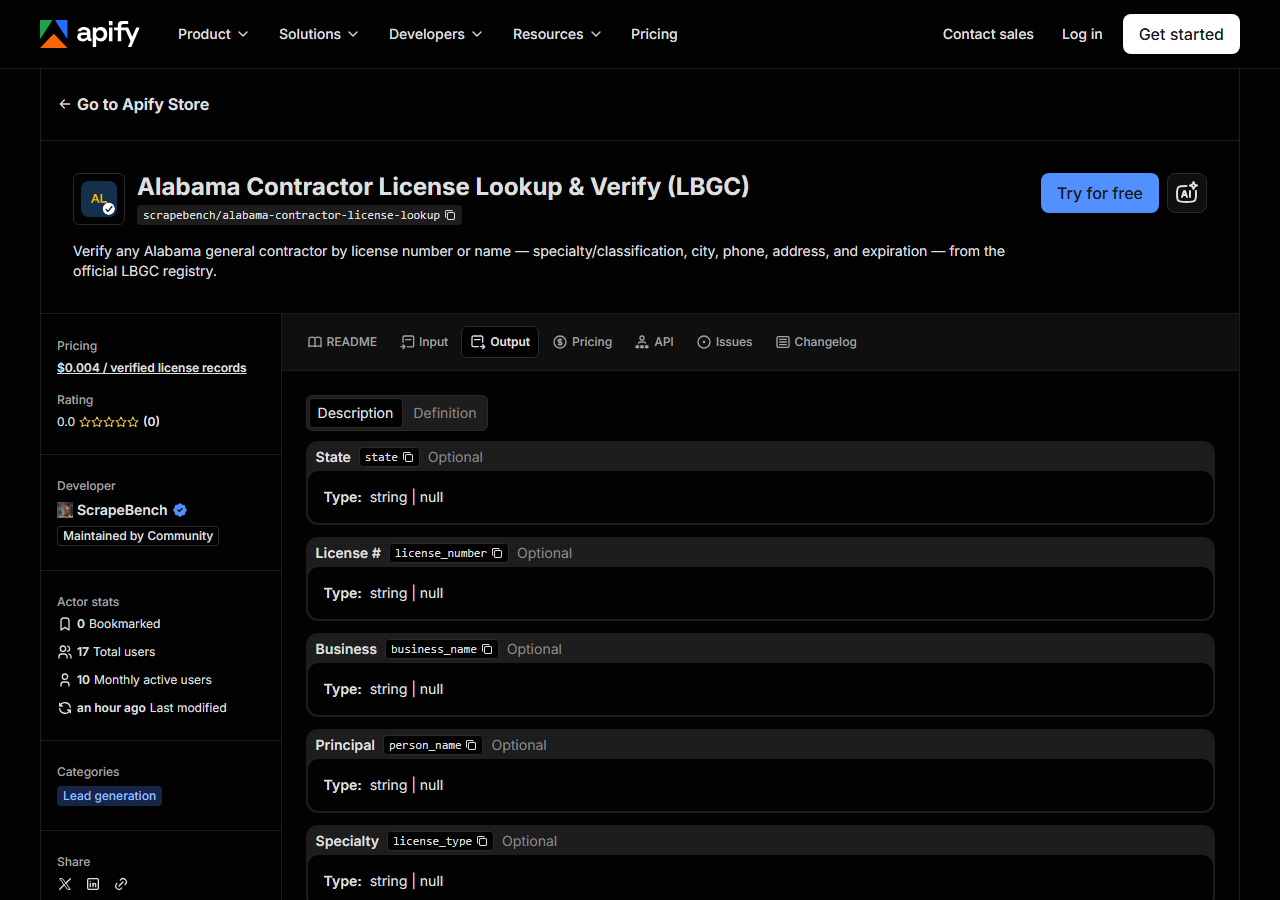
Every row looks like this — a real row from a real run:
{
  "state": "AL",
  "license_number": "8",
  "business_name": "DUNN CONSTRUCTION CO INC",
  "license_type": "BC: BUILDING CONSTRUCTION, H/RR: HEAVY AND RAILROAD, HS: HIGHWAYS AND STREETS, MU: MUNICIPAL AND UTILITY",
  "city": "BIRMINGHAM",
  "phone": "(205) 592-3866",
  "address": "P O BOX 11967",
  "zip_code": "35202",
  "expiration_date": "9/30/2026",
  "matched_by": "business_name",
  "source_url": "https://licensesearch.alabama.gov/genconbd/Details/2"
}| Field | Example value | Meaning |
|---|---|---|
state | AL | Always ‘AL’ for this actor |
license_number | 8 | LBGC general-contractor license number |
business_name | DUNN CONSTRUCTION CO INC | Licensed business name |
license_type | BC: BUILDING CONSTRUCTION, H/RR: HEAVY AND RAILROAD, HS: HIGHWAYS AND STREETS, MU: MUNICIPAL AND UTILITY | Specialty classification (e.g. BC: BUILDING CONSTRUCTION, HS: HIGHWAYS AND STREETS) |
city | BIRMINGHAM | Business city |
phone | (205) 592-3866 | Business phone (as published on the roster) |
address | P O BOX 11967 | Business street / mailing address (from the detail page) |
zip_code | 35202 | ZIP code (from the detail page) |
Most people came for two things: license_type, which is the proof that this contractor is actually
allowed to do the work you are about to hand them, and expiration_date, which is the proof it is
still current. license_type is the board’s specialty classification, and it is a comma-separated
string of codes with their labels, not an array — BC: BUILDING CONSTRUCTION, H/RR: HEAVY AND RAILROAD, HS: HIGHWAYS AND STREETS, MU: MUNICIPAL AND UTILITY is one field value for one contractor.
If you want to filter on a classification, do a substring test on the code, and split it yourself if
you need it structured.
The rest of the caveats are about what Alabama does and does not publish. There is no bond,
insurance or issue date on this registry, and no status column — the actor returns those as null
rather than inventing them. An export does fill status, but only from what the roster file says:
Inactive for the 76 licensees LBGC files under an INACTIVE classification, Active (extended) for
the 100 it lists with an extension date, Active otherwise. A present, unexpired row means the
contractor is on the board’s roster with that classification; it is not a statement that the license
is in good standing, and you should not read it as one. County is not published either. Export rows
add fax, bid_limit, classification_codes (the codes as a list) and address_state.
address, zip_code and expiration_date are null whenever includeDetails is off, and address
is whatever the contractor filed — often a PO box, as in the row above, not a physical site.
Everything else arrives as the board stores it: names shouted in capitals, phones as
(205) 592-3866, dates as M/D/YYYY strings. Normalise before you mail-merge.
Step 5 — Export it
Open the Dataset tab and export to CSV, JSON, or Excel — or pull the same rows from the API, which is what you want if this is going to run on a schedule.
What it costs
$0.004 per license record returned. A single verification — one license number, one match — is four tenths of a cent. A name search that comes back with 25 matches is $0.10, and a run capped at the default 50 can cost at most $0.20. An export at the default 500 rows is $2.00; the whole active roster (8,917 rows on 2026-10-09) is $35.67, and the 159 Alabama roofers above are $0.64. A search that matches nothing returns nothing and is not charged, so a typo costs you the run and no more. Apify’s platform compute is billed separately, under your plan.
The comparison is not against zero, because the board’s own site is free. What the per-result fee buys is the same record without the paging and the copy-paste: a batch of subs verified in one run, on a schedule, into an API you can call.
Where the data comes from
This reads AL LBGC directly. The target is Server-rendered HTML - the entire licensee roster (8,993 rows on 2026-10-09) is inlined into a single table (paged client-side); detail pages carry their values in readonly input fields. An export reads the board’s FullRosterReport CSV instead.
Every night a canary runs this actor against that live source and diffs the result against a frozen
fixture — what “verified” means.
As scrape targets go, this one is easy and it would be dishonest to dress it up: one GET returns the board’s entire licensee roster, there is no login, no token, no hidden state and no anti-bot wall, so the filtering happens in memory afterwards. The annoyance is what the shape does to a human. Because the whole roster is inlined into a single table and paged in your browser, “search” on the board’s site is really you scrolling someone else’s table, and the fields you actually need for a compliance check — address, ZIP, expiration — are not in it; they sit one page deeper, in readonly input boxes on each licensee’s detail page. That is the only reason this needs a tool at all: not difficulty, just the number of clicks between you and the columns. Easy targets still drift, though — a renamed column or a reordered table would silently change what lands in your rows, which is what the nightly canary is there to catch.
See it used
Verify an Alabama Contractor by License Number takes a licence number off a bid and turns it into a filed row.
Alabama’s LBGC only licenses commercial general contractors, and only Alabama — so if the contractor in front of you might be in any state, or you want the same company checked in several at once, Multi-State Contractor & Trade License Lookup is the one to reach for instead; and if you already know it is a California licence, California Contractor License Lookup & Verify (CSLB) returns status, bond and workers’ comp, which Alabama’s registry does not publish at all.
Last updated 2026-10-09